
Required Role: Supervisor
The supervisor can delete other users' accounts. This process involves several stages to ensure that account removal is carried out carefully and responsibly.
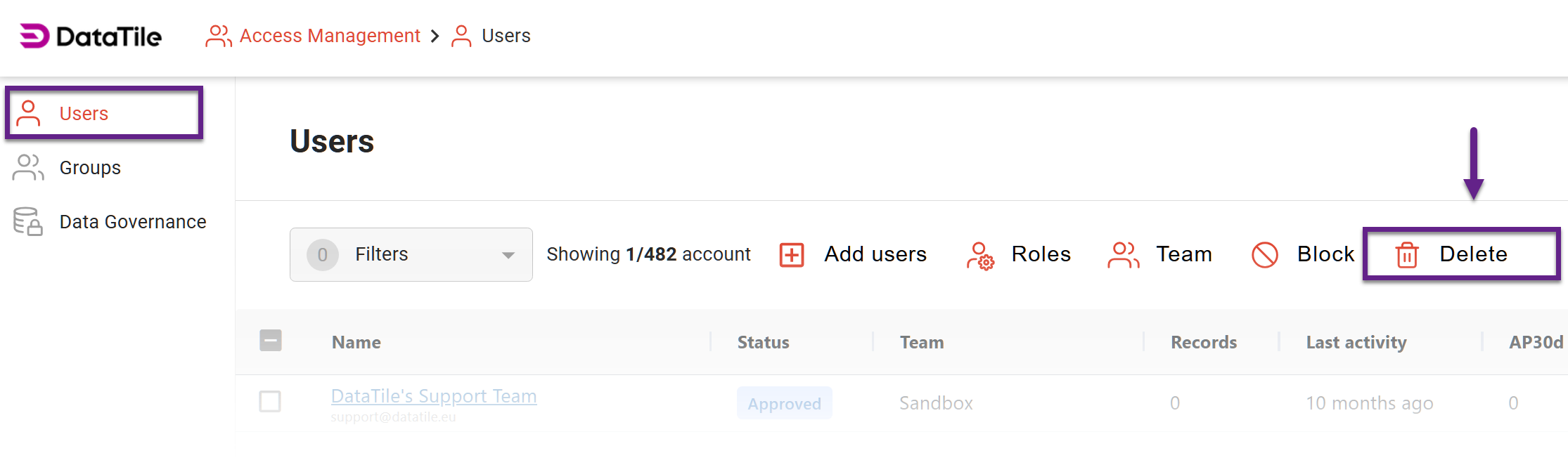
To delete a user
-
Click on the ‘Access Management’ to see the ‘Users’ section.
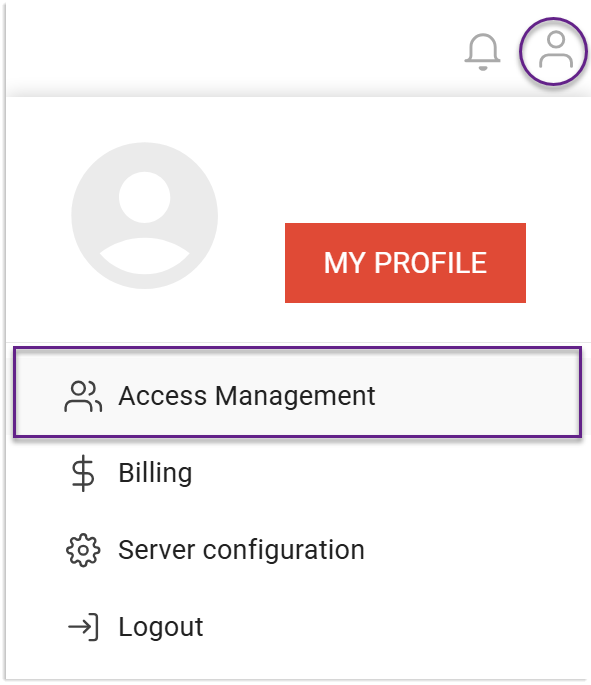
-
Select the user/users that you are about to delete.
-
Click the delete button on the toolbar above the table.
-
Confirm your action in the pop-up prompt.
Account deletion workflow
Email notice: users receive an email informing them that their accounts are scheduled for removal.
Grace period: deletion is not immediate. Accounts enter a pending deletion status for 3 days.
Supervisor override: within the 3-day window, a Supervisor can cancel the deletion by changing the user’s status (e.g., reinstating or reassigning the account).
This grace period prevents accidental removals and allows quick reversals if needed.
It's important to note that the final removal of a user account is irrevocable. All user data will be deleted completely along with the account. To prevent data loss, Supervisors are advised to take over the user’s data and transfer it to their account before proceeding with the deletion.