
Net Promoter Score is a common metric for predicting customer loyalty by assessing their likelihood of recommending a brand/service. NPS is a common routine task for analysts, and despite its simple formula, the calculation still might be tedious. In DataTile, this process is streamlined: the score is calculated automatically when an NPS variable is created directly in Meta-Editor using the same principle as MR-set generation.
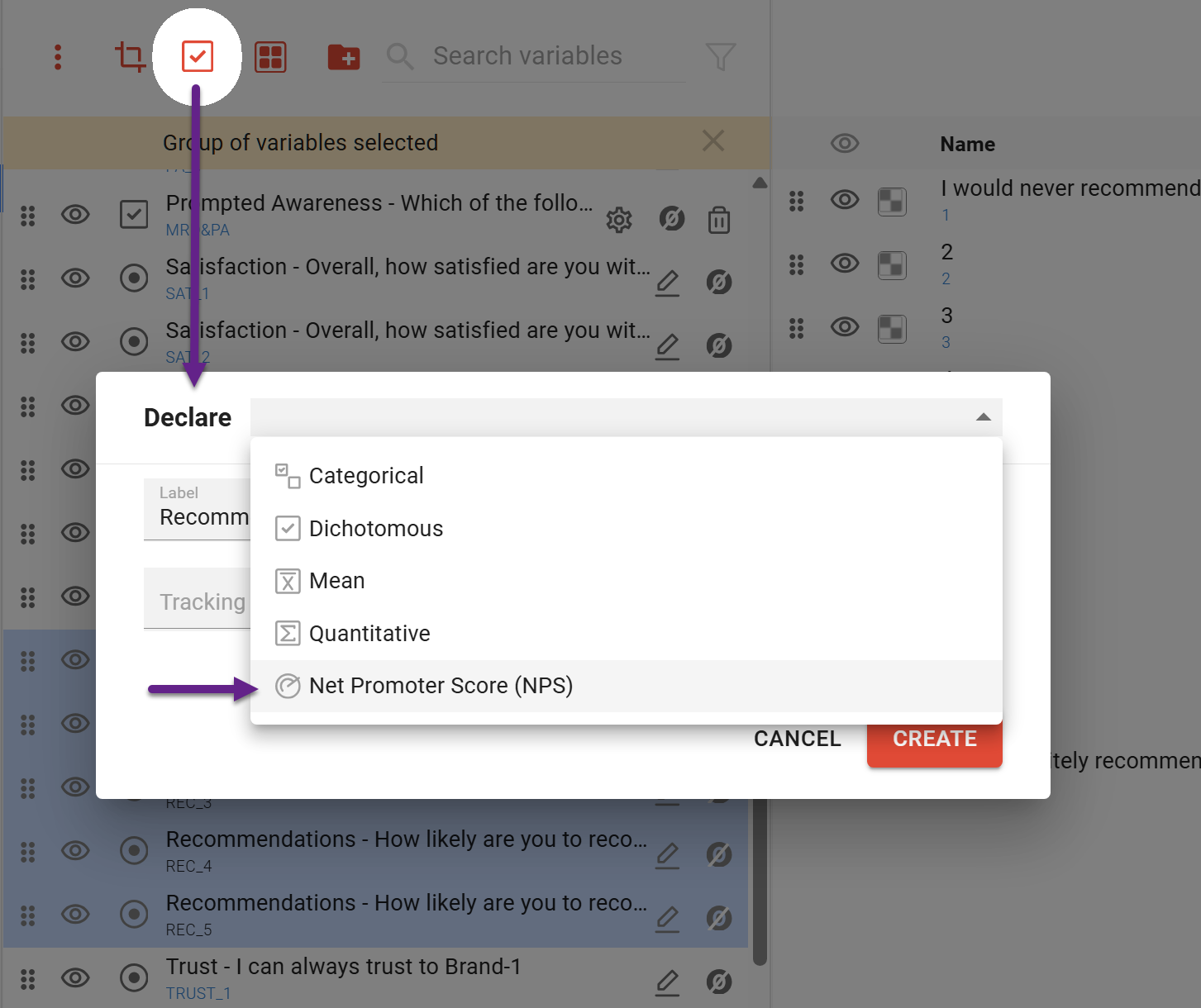
NPS declaration
Note that NPS score calculations are based on midpoints. Before declaring the NPS variable, double-check if midpoints are correct.
-
In Meta-Editor, select the score variable. If your database contains several score variables for different products, include all of them in the selection at once.
-
Click on the icon ‘Declare multi-response set’

-
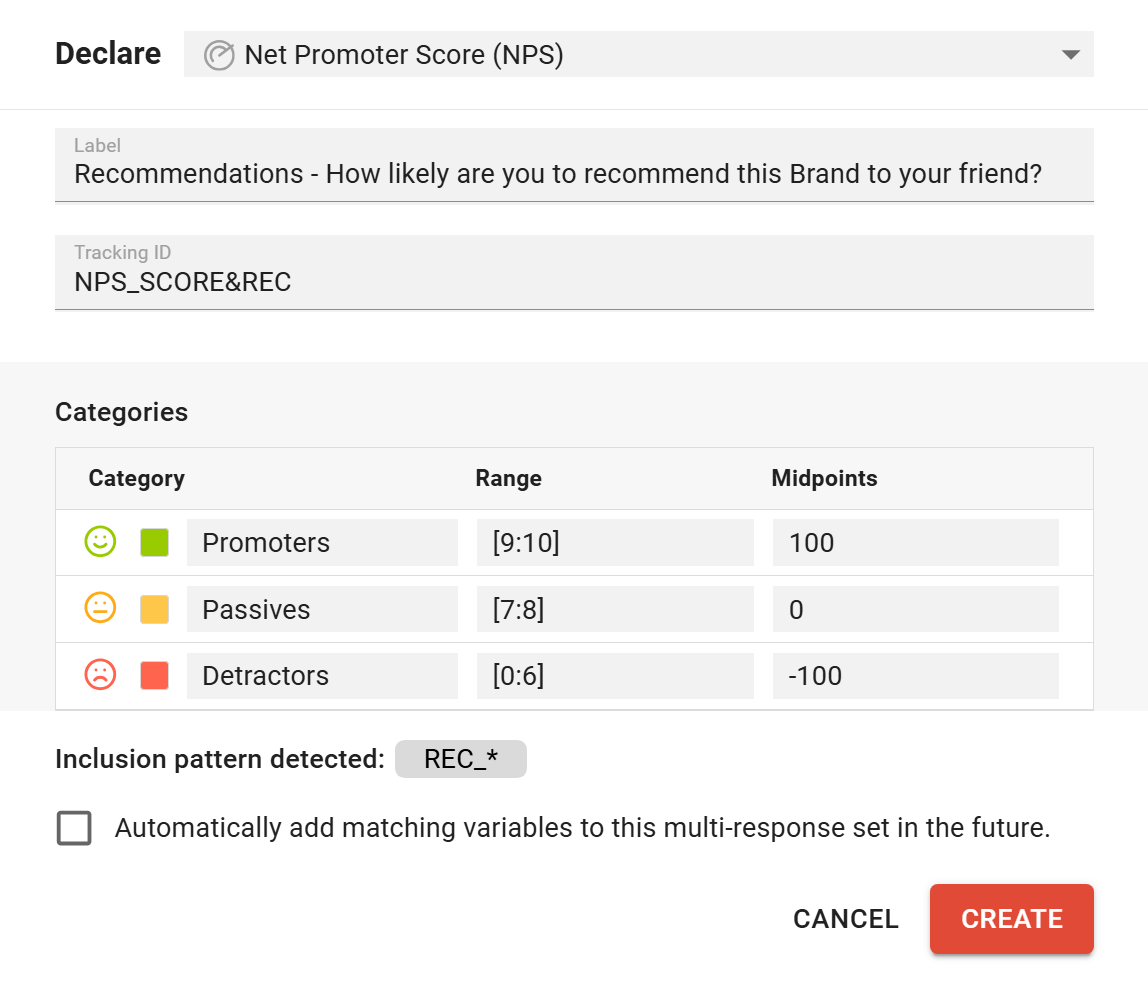
In the pop-up window, you can edit
-
NPS label,
-
Tracking ID,
-
Ranges (by default, the most common segmentation is applied).
-
By default, the midpoints are set to [-100, 0, +100]. You can edit them, but keep in mind that these midpoints are used in the automatic calculations, so review them carefully before making changes.
-
Colors.
-
-
If you want this NPS to automatically include variables that match the pattern, for example, ones that will appear in future waves of the survey, you should tick the checkbox ‘Automatically add matching variables to this MR-set’. The pattern on which this automation is based is indicated above the checkbox.
-
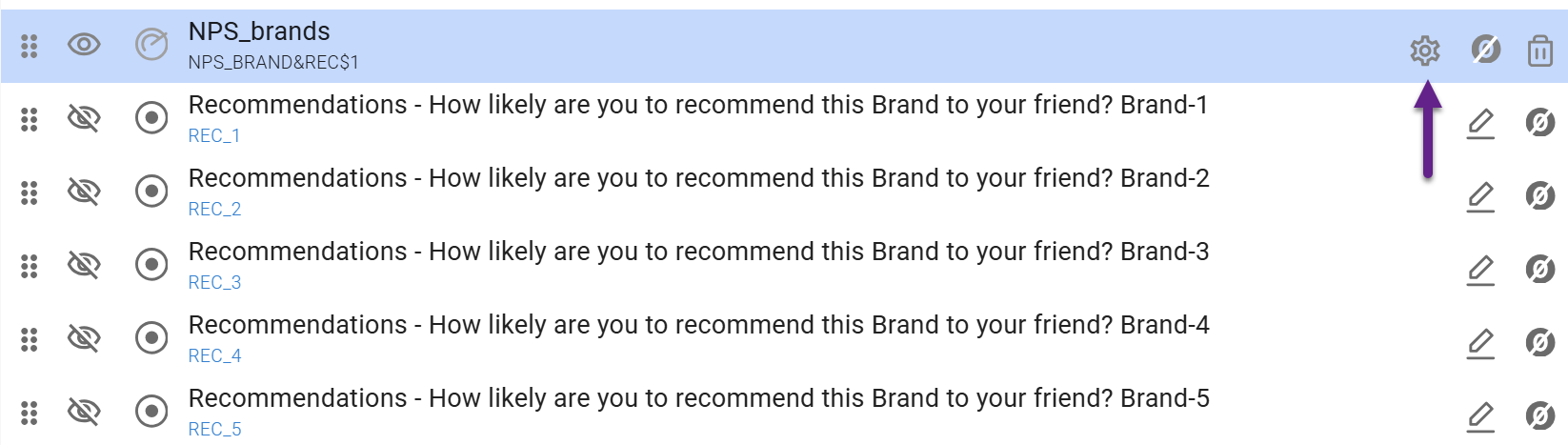
Click ‘Create’, and the new variable will appear in Meta-Editor. If you want to edit it again later, click on the cog icon next to the label.
-
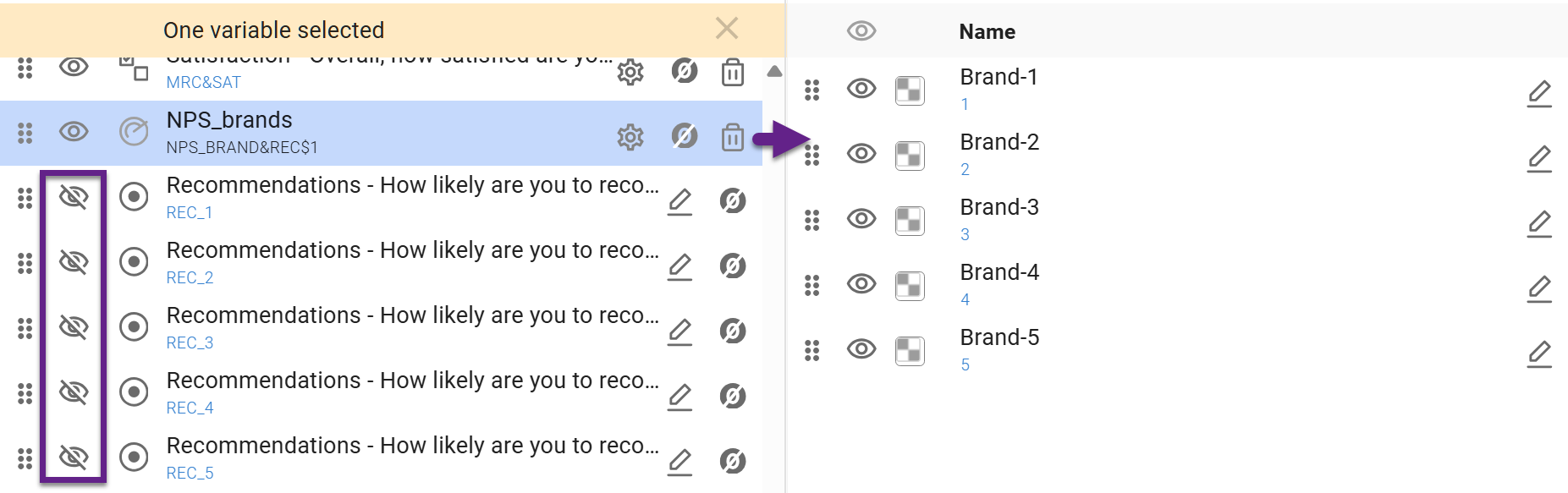
The resulting variable will contain options matching the number of initially included variables, following the standard MR-set logic. The source variables will be marked as invisible in Meta-Editor.
NPS Metrics
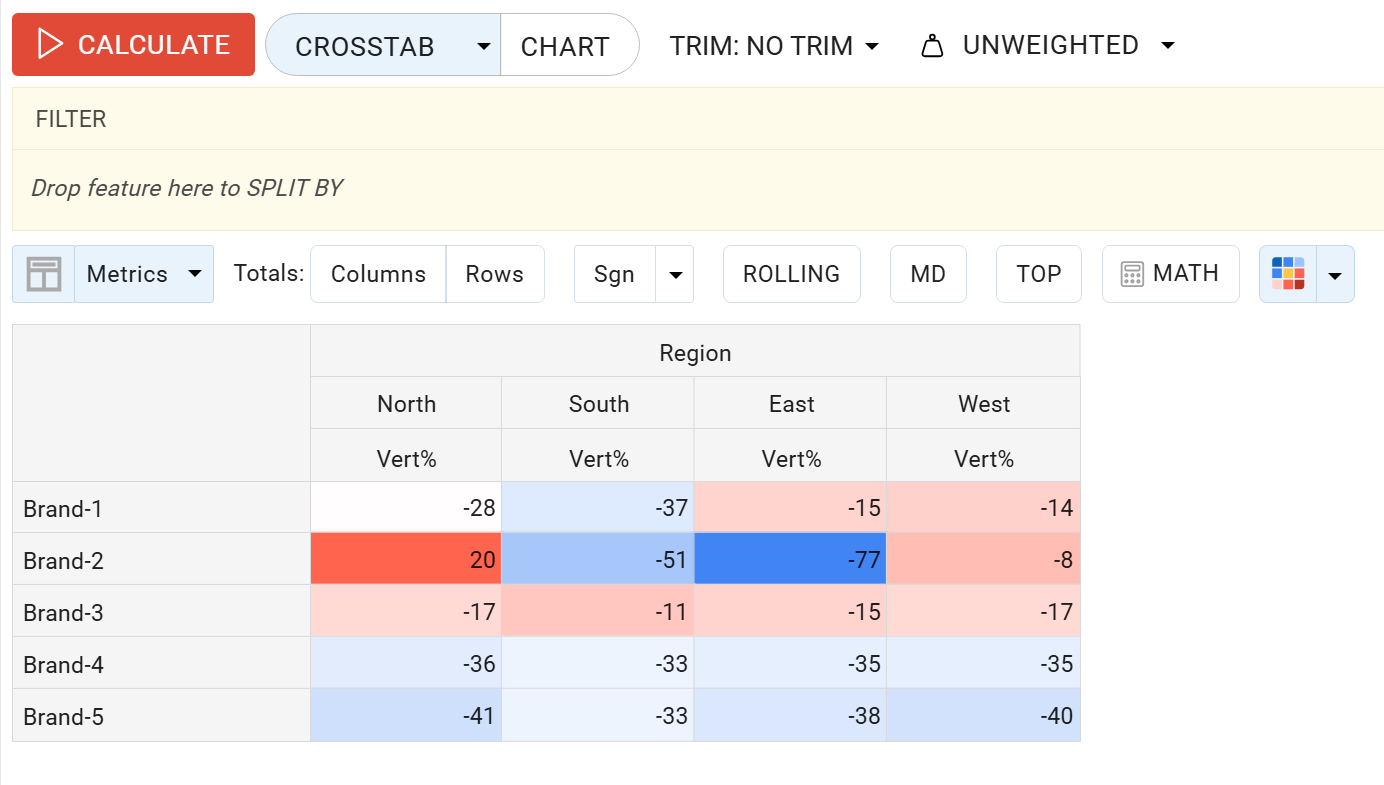
Vert% = NPS Score
When adding the NPS variable to a crosstab and selecting the Vert% metric, you will obtain the automatically calculated NPS score.
Mean = Mean Score
For an automatically generated NPS variable, using the mean metric returns the mean score (the average rating on the original 0–10 scale).
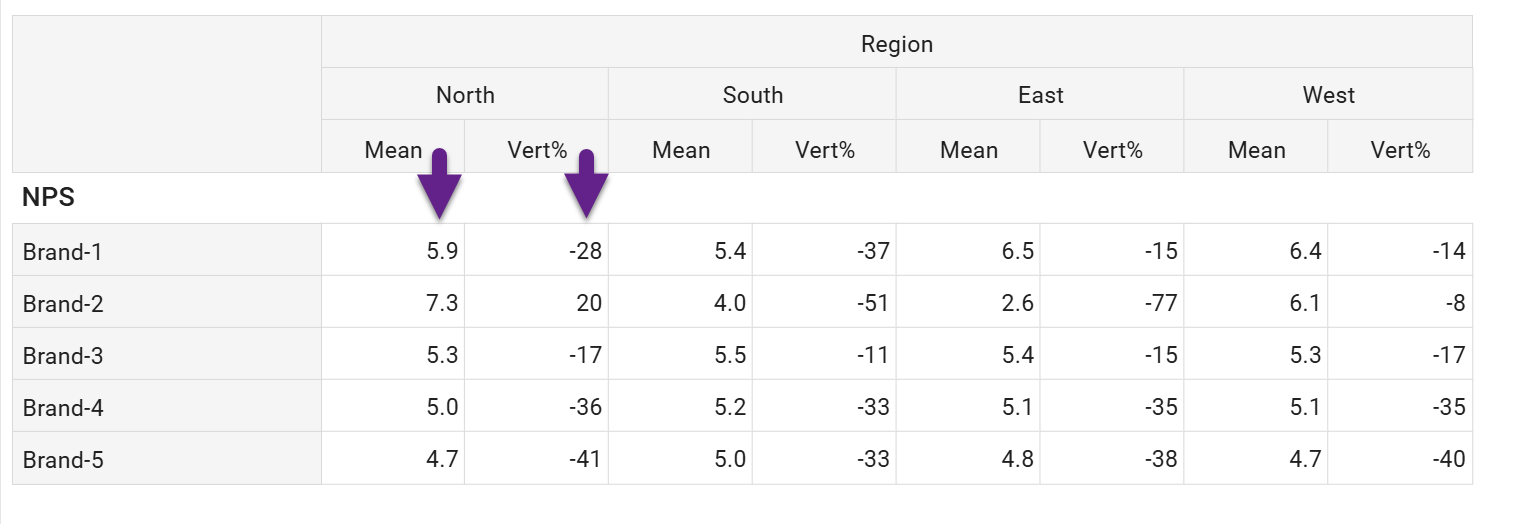
This should not be confused with the other NPS calculation approach, where respondents were first grouped into promoters, passives, and detractors, then assigned numeric codes (e.g., −100, 0, +100). In that setup, applying the mean metric to the recoded variable produced the NPS score.
Other metrics
Such metrics as Base, Count, etc., are calculated the same way regardless of how the NPS variable is configured.
Significance for NPS
For an NPS variable created using the built-in DataTile tool, only the Adjusted-Wald Z-test on dependent proportions is applied.
No configuration is required. The method is applied automatically when an NPS variable is present in the crosstab. If other variables appear in the same crosstab, their significance will be calculated using their respective methods (t-test or z-test).
Please read the ‘Statistical Testing for Net Promoter Score (NPS)’ article for more detailed information on the principles of calculating statistical significance for NPS.