
DataTile lets you set up midpoints - numerical equivalents of options for categorical variables. This feature is very handy when you need to calculate the average age, income, expenses, or volume of your sample, but those variables are not numerical in your dataset. Also, it’s an important feature for recoding groups for NPS calculation.
Each variable option in DataTile has a default ‘digit' value. You can see this in the Meta-Editor to the right of each option when you click any variable. These 'digits’ can be manually changed by double-clicking on them and entering new values. So you can assign numerical equivalents to categories and use them for calculations.
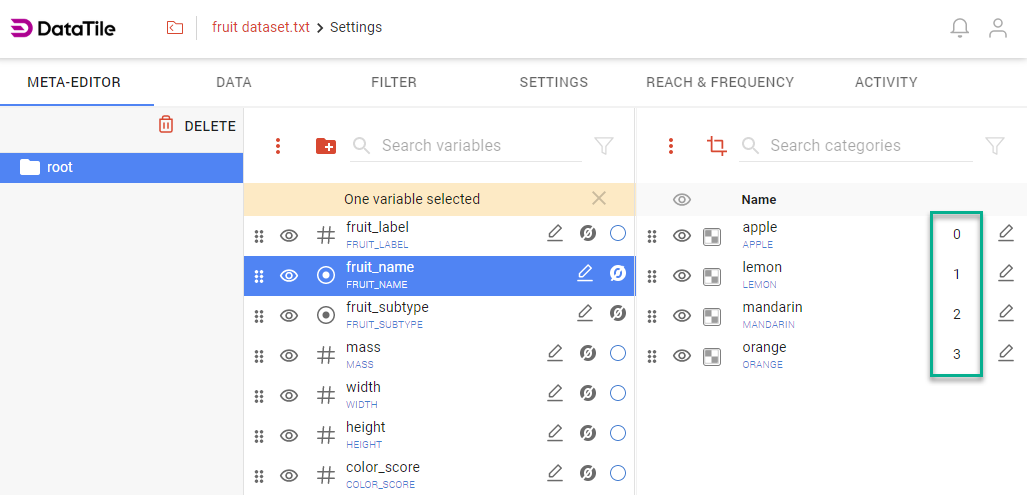
Midpoints are used to calculate the Vol and Mean metrics. For categorical options, the sequential number of the item is placed in this field by default.
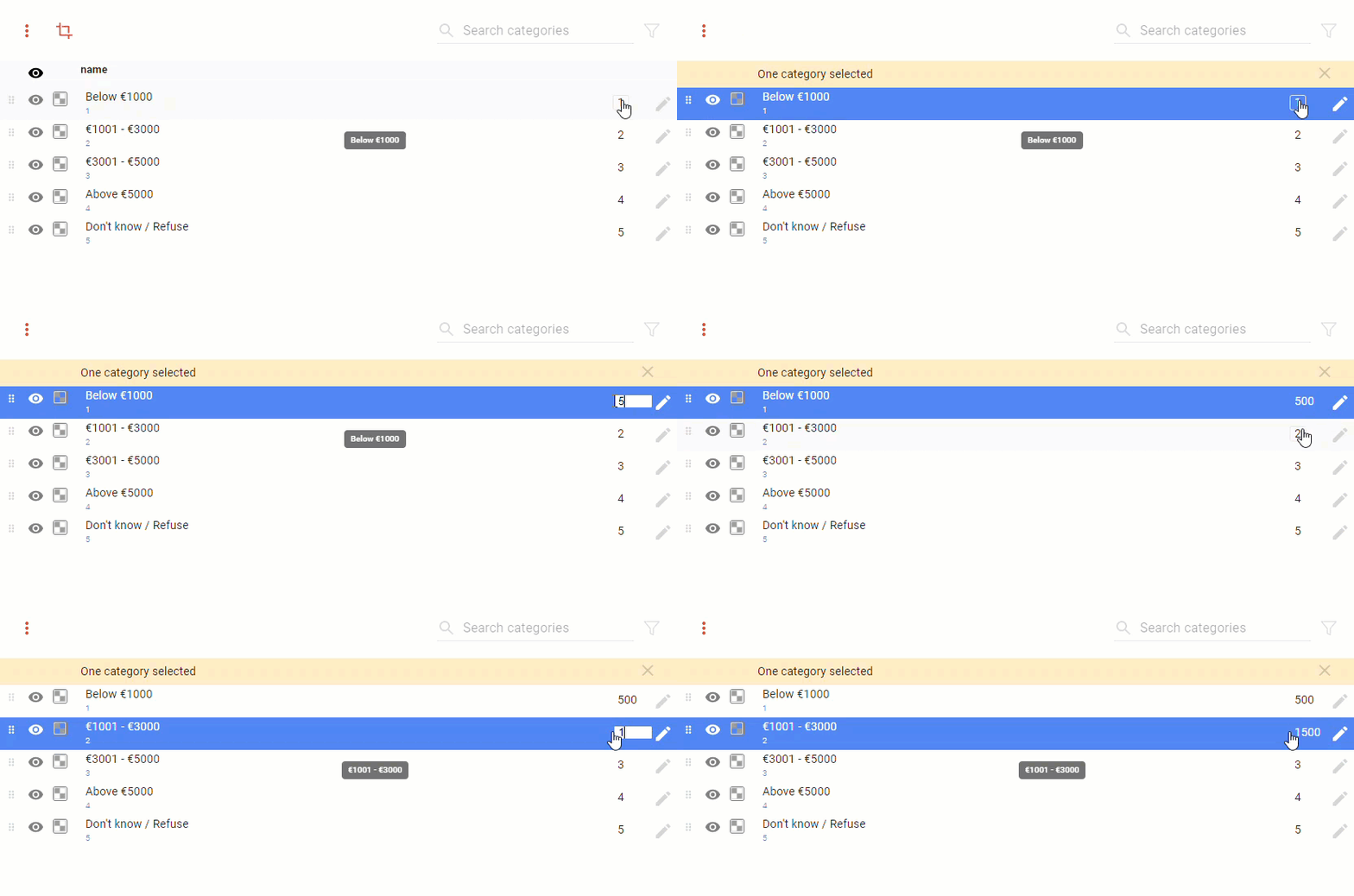
To calculate the Vol and Mean metrics based on interval features, each interval is assigned the average value of this interval as a 'digit'.
Vol metric formula: ∑(Unweighted Count * Weight * digit).
Mean metric formula: Vol / Weighted Count.
With sequential 'digits', these calculations are meaningless, but when the appropriate midpoints are added, they become possible.
More accurate calculations are possible by replacing midpoints with a real numeric variable using the Value dropzone in DVI.