
DataTile allows you to copy logical variables created via the Meta-Editor to another database. This feature enables fast, bulk recreation of logical variables in a new dataset. Effective copying of logical variables requires that variable codes match across both datasets.
Copying is performed at the folder level, not for individual variables.
-
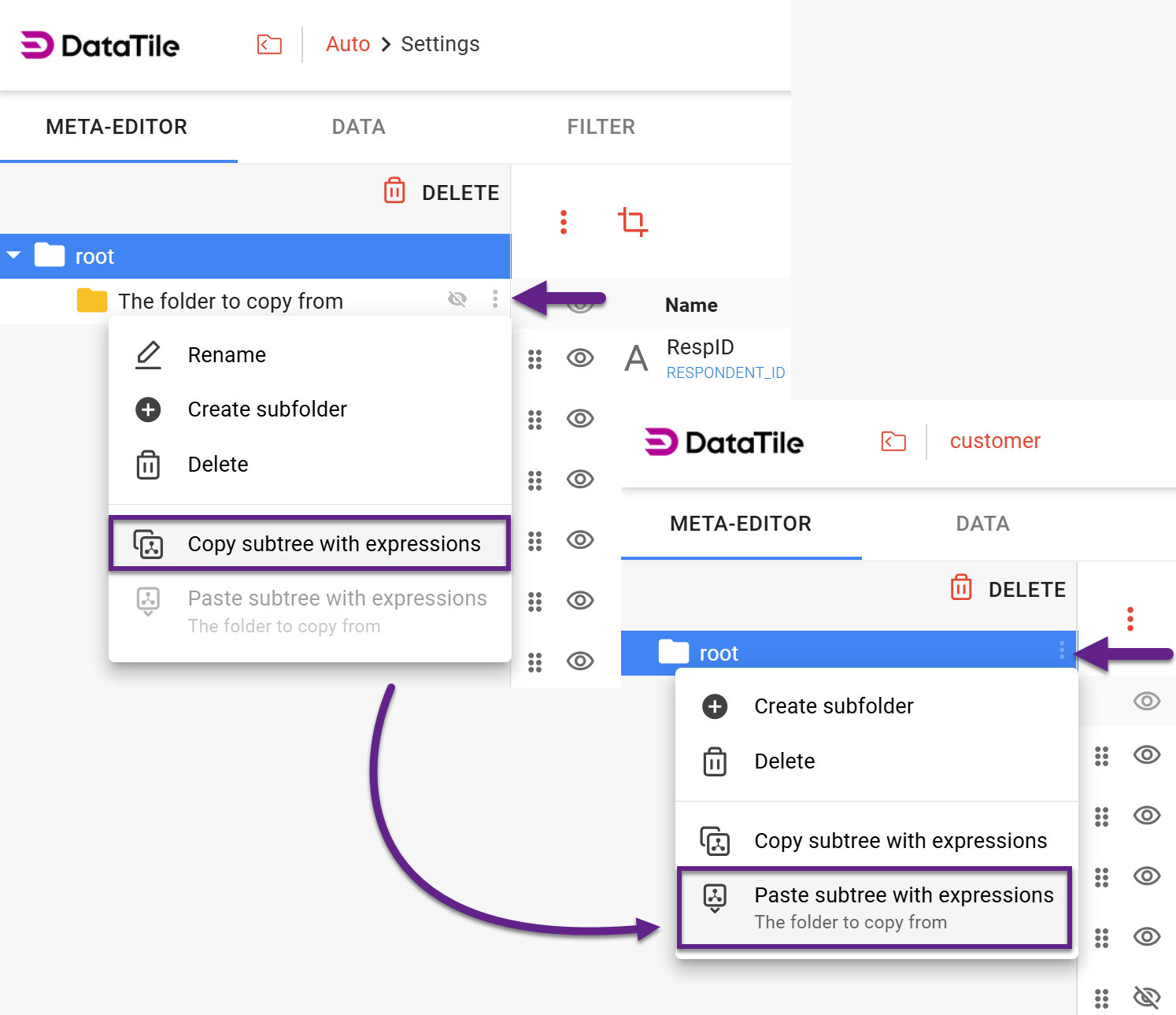
Click the ‘snowman’ icon near the folder label and select ‘Copy subtree with expressions’. Although a folder is copied, nothing but logical variables are included.
This allows you to group all required logical variables into a single folder, give it a clear name, and copy it to another dataset. In the target dataset, it will appear with the same name inside the selected destination folder. -
In another database, click the same ‘snowman’ icon opposite the destination folder and select ‘Paste subtree with expressions’. The name of the currently copied folder is displayed under this option, so you can visually confirm that you are pasting the correct content. After copying, you can move the variable to the desired location.
Copy and paste work only within a single browser tab and the same active session.