
In DataTile Meta-Editor, you can create logical variables and save them in a codebook for subsequent analyses on an ongoing basis. For example, you can create a set of demographic categories to analyze target audiences, etc.
To create a logical variable, open the database and click the ‘cog’ icon 
-
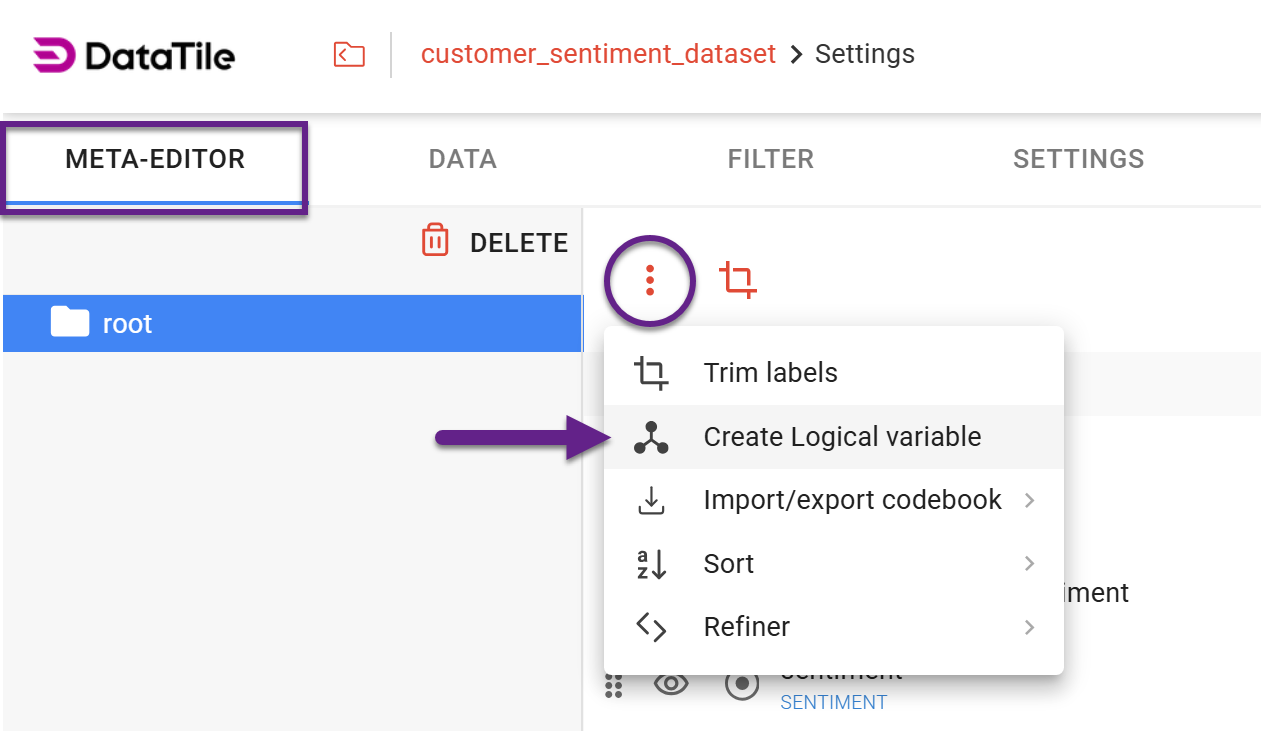
In Meta-Editor, click the 'snowman' icon above the variables list.
-
Select the 'Create Logical variable' option from the dropdown menu.
-
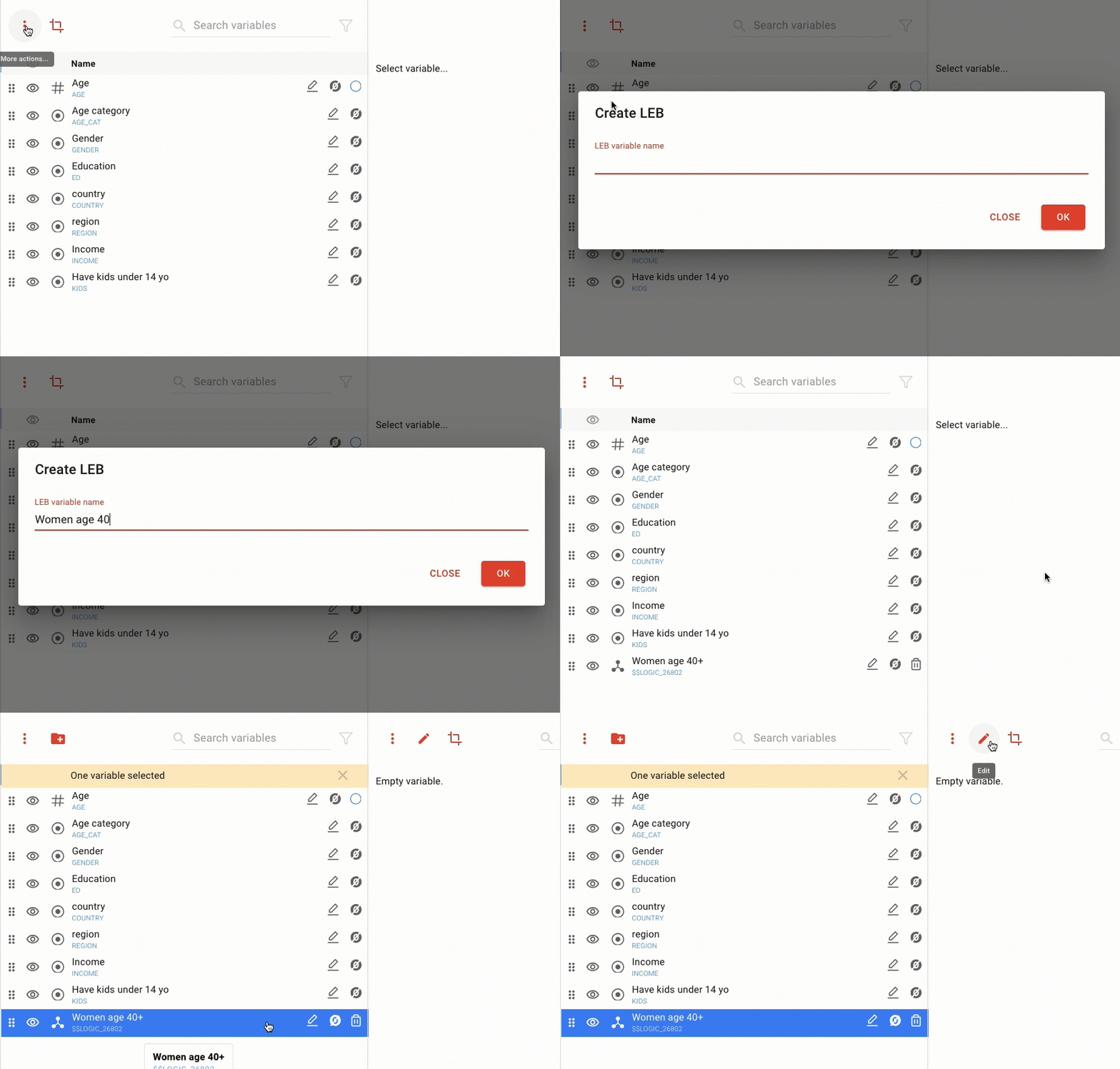
In the pop-up window, enter a variable name, then click OK.
-
A new variable is added to the bottom of the list. Select it and click the ‘Edit’ icon to open the Logical Expression Builder (LEB) window.
-
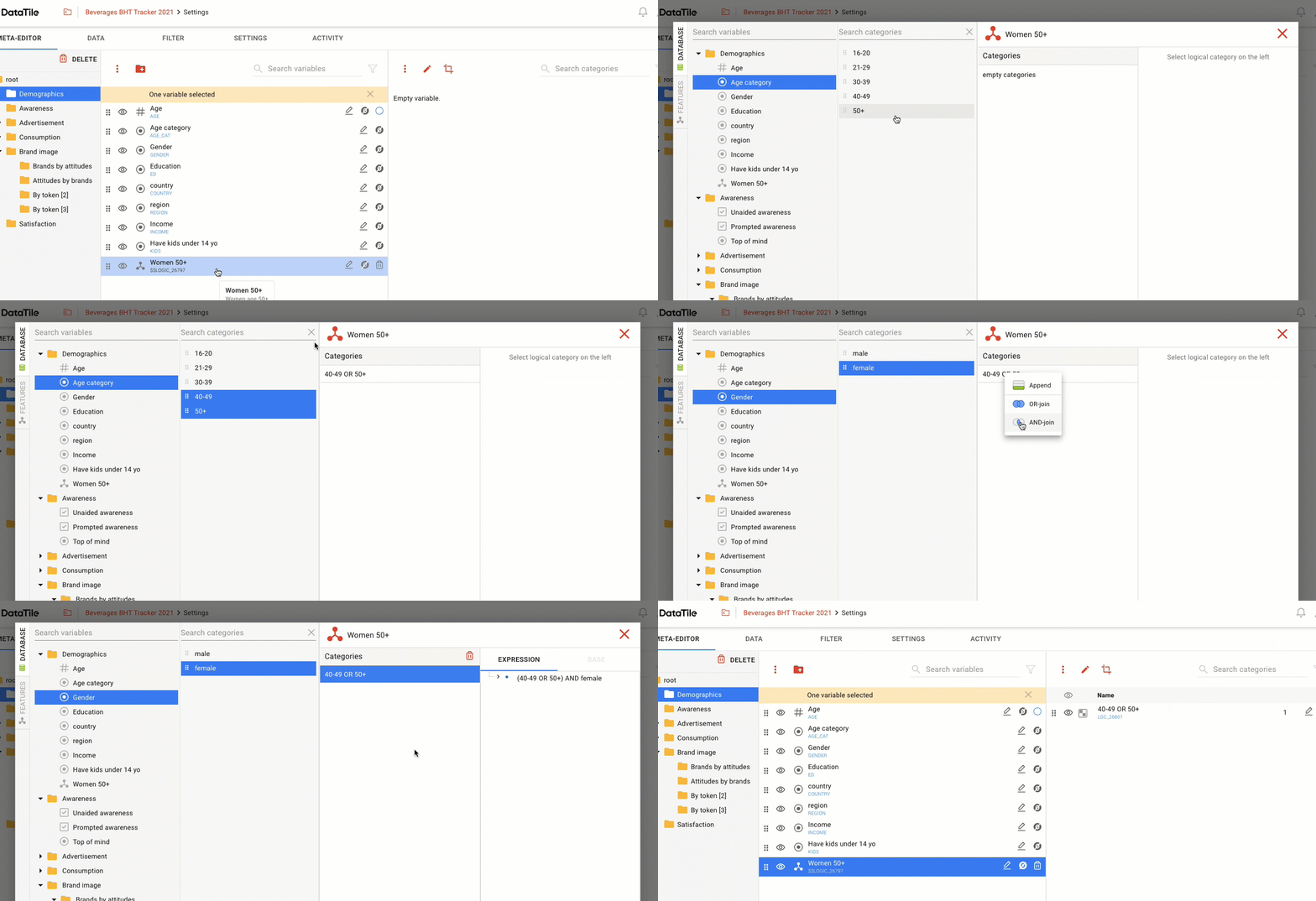
In the Logical Expression Builder, the codebook is displayed on the left-hand panel. Drag&drop options onto the ‘Categories’ panel to build the logical variable, combining them with the appropriate logical operators.
For example, to create the audience of ‘Women age 40+’, you should OR-join the age categories of 40-49 and 50+, then drop ‘female’ onto this and select AND-join.
-
Changes are saved automatically, so once a variable is created, you can close the LEB window.
You can also build codes (logical expressions) directly in a crosstab, although these are not saved permanently within the codebook like logical variables.
If you have several similar datasets, you can copy logical variables from one database to another, avoiding the tedious work of creating them separately. Effective copying of logical variables requires that variable codes match across those datasets.