
In Meta-Editor, you can create a NET variable category that combines multiple existing categories into a single category for analysis and reporting. The original categories remain available, while the NET category provides a summarized view.
Why use NET variables?
-
Simplify reporting.
-
Highlight meaningful groups of responses.
-
Make dashboards and charts easier to interpret.
-
Compare broader attitudes instead of individual response options.
How to recode scale questions
When working with scale questions, it is often useful to combine answer options into NET categories, such as Top 2 or Bottom 2.
-
Select all of the variables that need to be re-coded and click the 'Group' icon

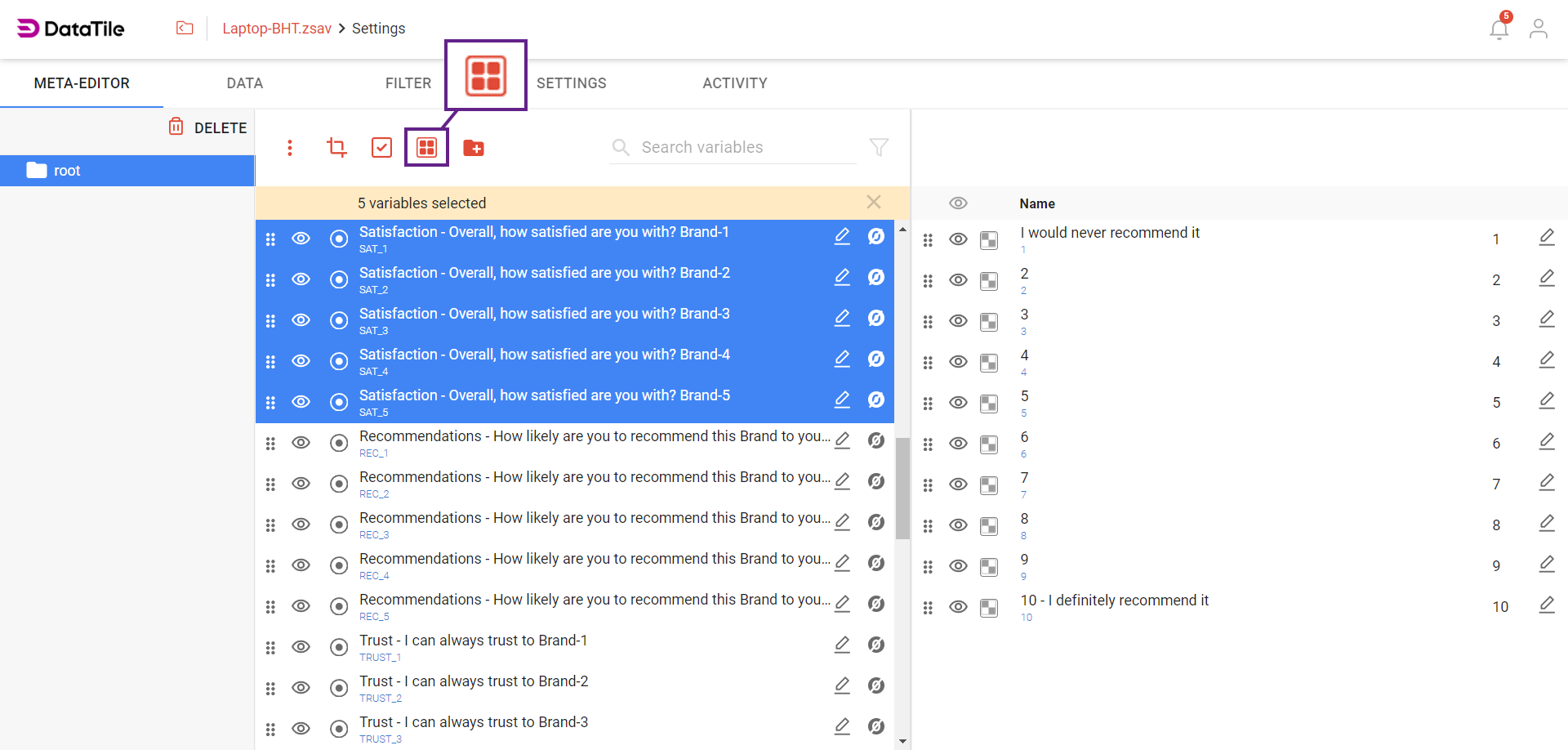
Grouping is a time-saving feature when working with multiple questions that have identical answer options and require the same modifications. Any changes you make to one question in the group are automatically applied to all other questions in the group.
-
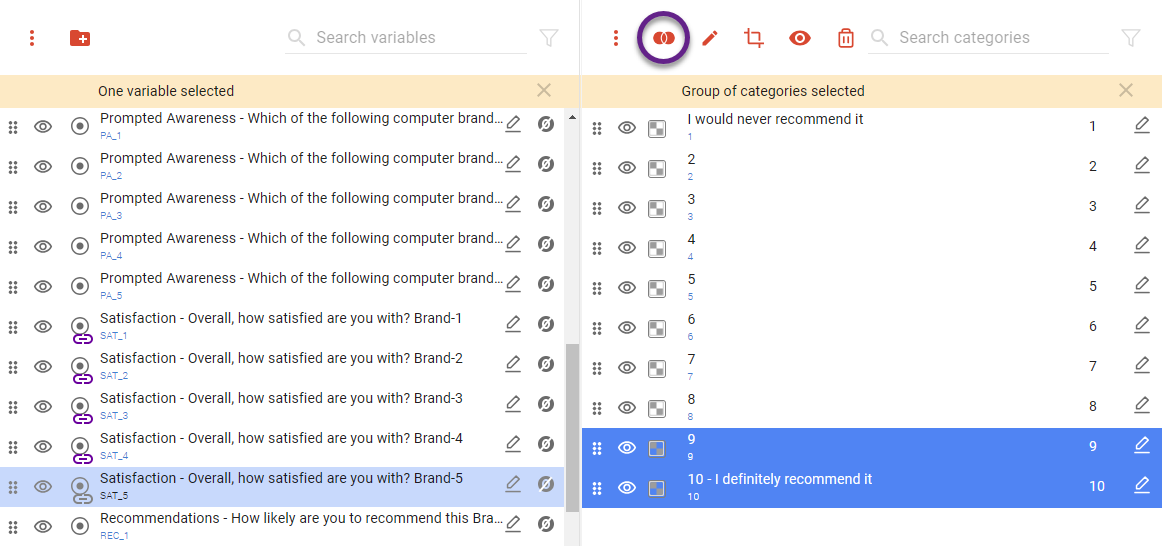
Select any variable in the group to see its categories;
-
Select the Top-2 scores: '9' and '10' - and click on the 'OR’ icon

-
Click the 'Edit' icon

-
Repeat for Bottom-2 and Detractors. Now all changes are applied to all variables in the group.
You cannot combine categories from different variables. A NET is an aggregation of categories within the same variable.
NET categories can be created for any categorical variable by combining two or more existing categories into a single category. This is useful for summarizing results, simplifying reporting, and comparing broader respondent groups. A common example is combining the highest or lowest values of a rating scale into Top 2 or Bottom 2 categories, but the same approach can be used for any categorical variable where grouping categories is meaningful.
For date categories and time periods, DataTile provides dedicated functionality for creating monthly, quarterly, yearly, and other time periods from date variables.
Related articles
Grouping variables in Meta-Editor
Derive time series variables from date variable