
In the Control Editor, the Selection Strategy submenu lets you preset the default options that activate whenever a viewer opens the dashboard.
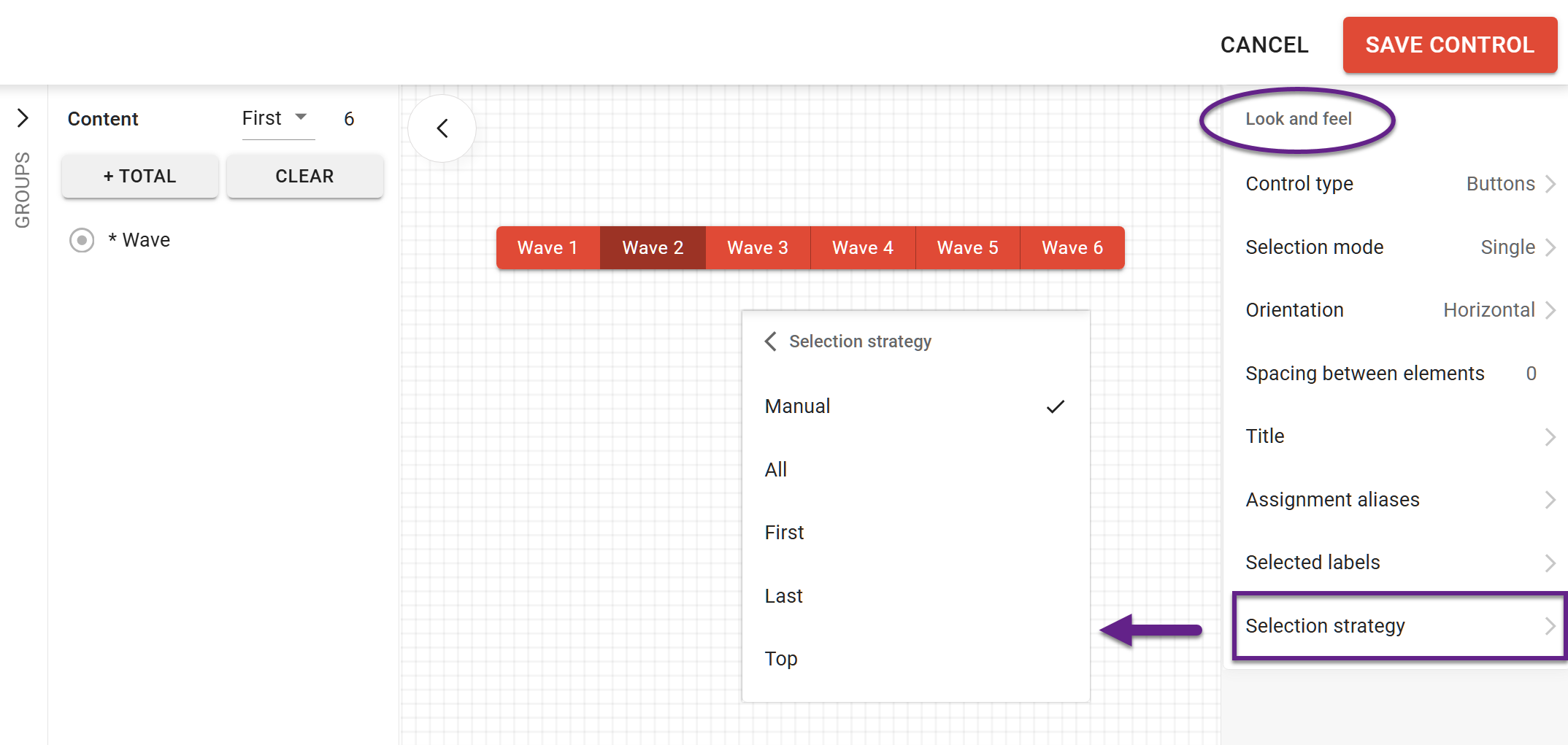
Selection strategy options
The 'Selection strategy' submenu has the following options:
-
Manual: allows manual pre-selecting of the required options.
-
All: all visible options will be selected by default.
Note: the control selection mode should be set as ‘Multiple’ for this strategy to work. -
First-N / Last-N: these strategies let you display a set number of categories in the control. Which options count as ‘first’ or ‘last’ is determined by the variable's category order.
-
Top-N: with this strategy, the control automatically selects a specified number of the most frequent options. The dataset determines the ‘top’ options, which cannot be manually adjusted. The order of options on the control remains unaffected.
Control selection limitations take priority over the Selection strategy settings. For example, if you configure the control for multiple choice but set a maximum of 2 options, you won't be able to pre-select 3 or more options in the Selection Strategy settings.