
Logical operators are crucial in coding and in building target audiences within DataTile. Also called Boolean operators, they follow the rules of Boolean logic. In DataTile, you can use variations of the following logical operators to create logical expressions:
-
OR,
-
AND,
-
NOT,
-
ANY ... OF.
Here's how each of the logical operators is used in DataTile:
OR
The ‘OR’ operator will group people who meet at least one of the specified criteria, e.g., answered ‘yes’ to any of the selected answers. This is useful if you have many potential conditions for inclusion. For example, you might want to find people who live in either "New York" OR "California.
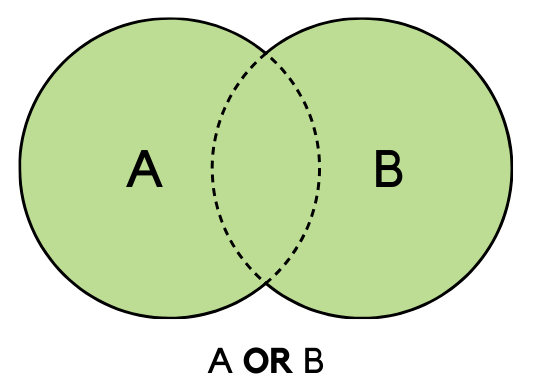
How to use: click the LEB icon to open the Expression Builder, add options in the opened window, and choose 'OR-join'.
AND
The ‘AND’ operator creates a filter that must satisfy all selected conditions, e.g., people who answered 'yes' to all selected answers. For example, in a database of sales records, to find transactions that occurred in a specific month (e.g., January) AND were above a certain amount (e.g., $500), you would use the AND operator.
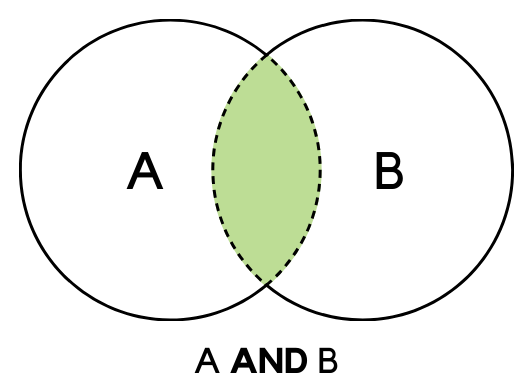
How to use: click the LEB icon to open the Expression Builder, add options in the opened window, and choose 'AND-join'
NOT
The ‘NOT’ operator filters out particular conditions or categories from your search, such as people who answered ‘no’ to the specified question (e.g., customers who are NOT from a certain city).
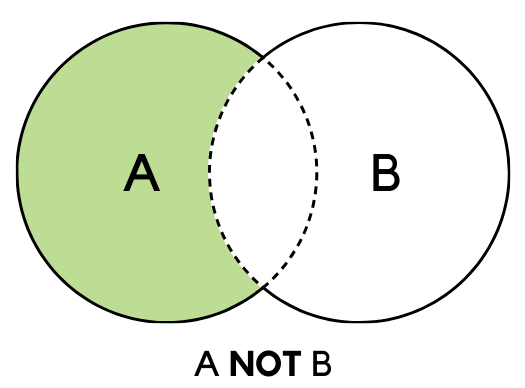
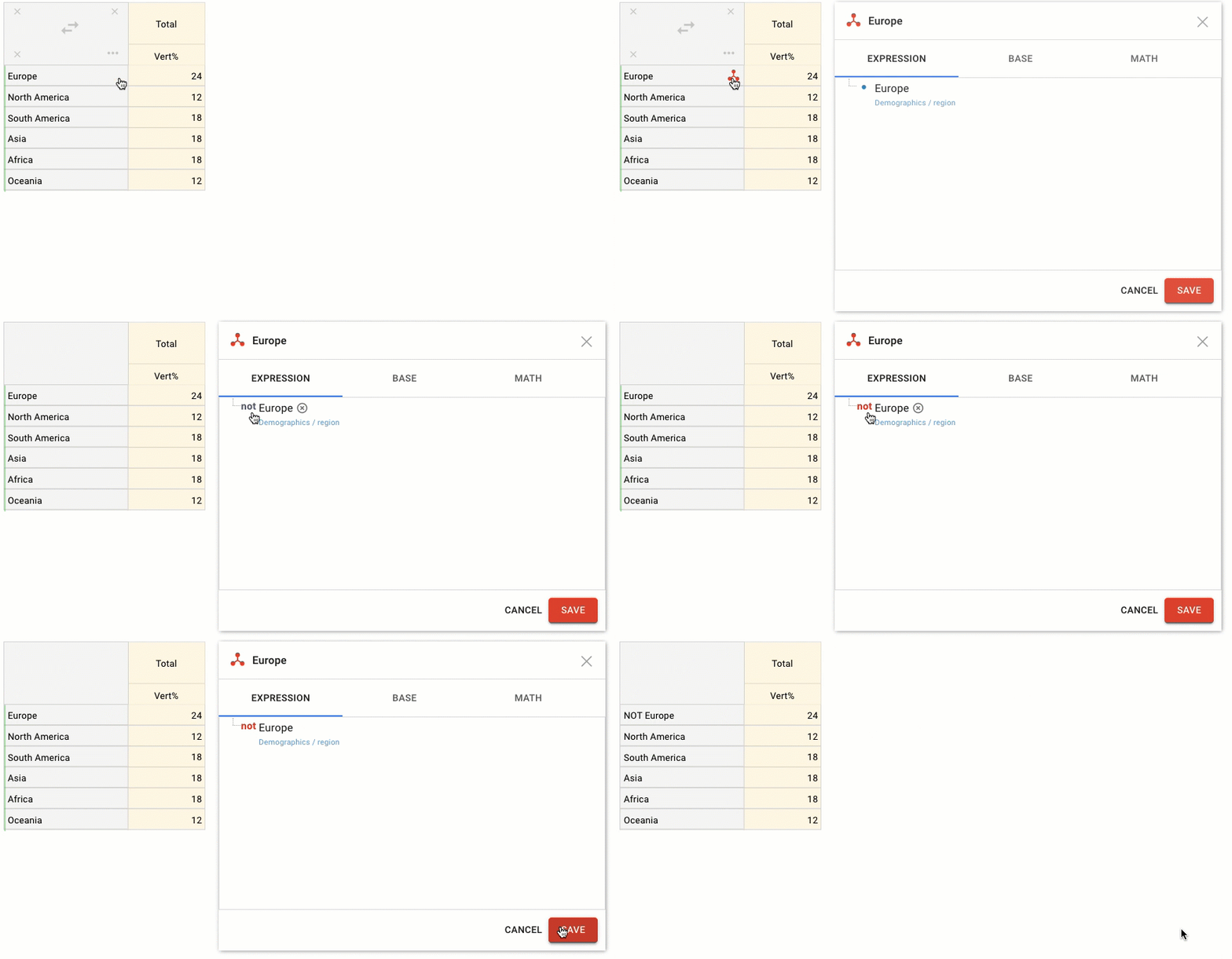
How to use: add an option (or several options with the ‘AND-join’ operator) to the Expression Builder, then click on the blue dot on the left of the option to switch it to ‘Not'.
ANY… OF
The ‘Any [#] Of’ operator lets you choose a specific number or range of categories and identify respondents whose answers match that condition. For example, you can find respondents who answered “yes” to 2 out of 7 options, selected at least 2 out of 7 options, or saw between 2 and 5 of the listed ads.
How to use: first OR together the options in the Expression Builder, click on the operator title until it changes to ‘Any… of’ and write the number of options to choose from.
The ANY… OF operator can also work with numeric comparisons and ranges, not only with a single number. Use comparison expressions such as <, <=, >, or >= to define thresholds, or enter an interval in square or round brackets. Square brackets include the boundary value, while round brackets exclude it. For example, ANY [2:5] OF means any 2 to 5 selected options, including 2 and 5; ANY (2:5) OF means more than 2 and fewer than 5 selected options.

Related articles