
Data Governance defines the most restrictive, server-wide limits for how data can be used across your DataTile instance. Settings here cap what’s possible for every database, dashboard, user, and integration on the server.
Project-level permissions cannot exceed the limits set in Data Governance.
Use this section to enforce compliance rules, prevent unintended data exposure, and standardize what features are available on your server.
Only server Supervisors can view and change Data Governance settings.
To enter the Data Governance, go to the Access Management section and select the Data Governance in the left menu panel.
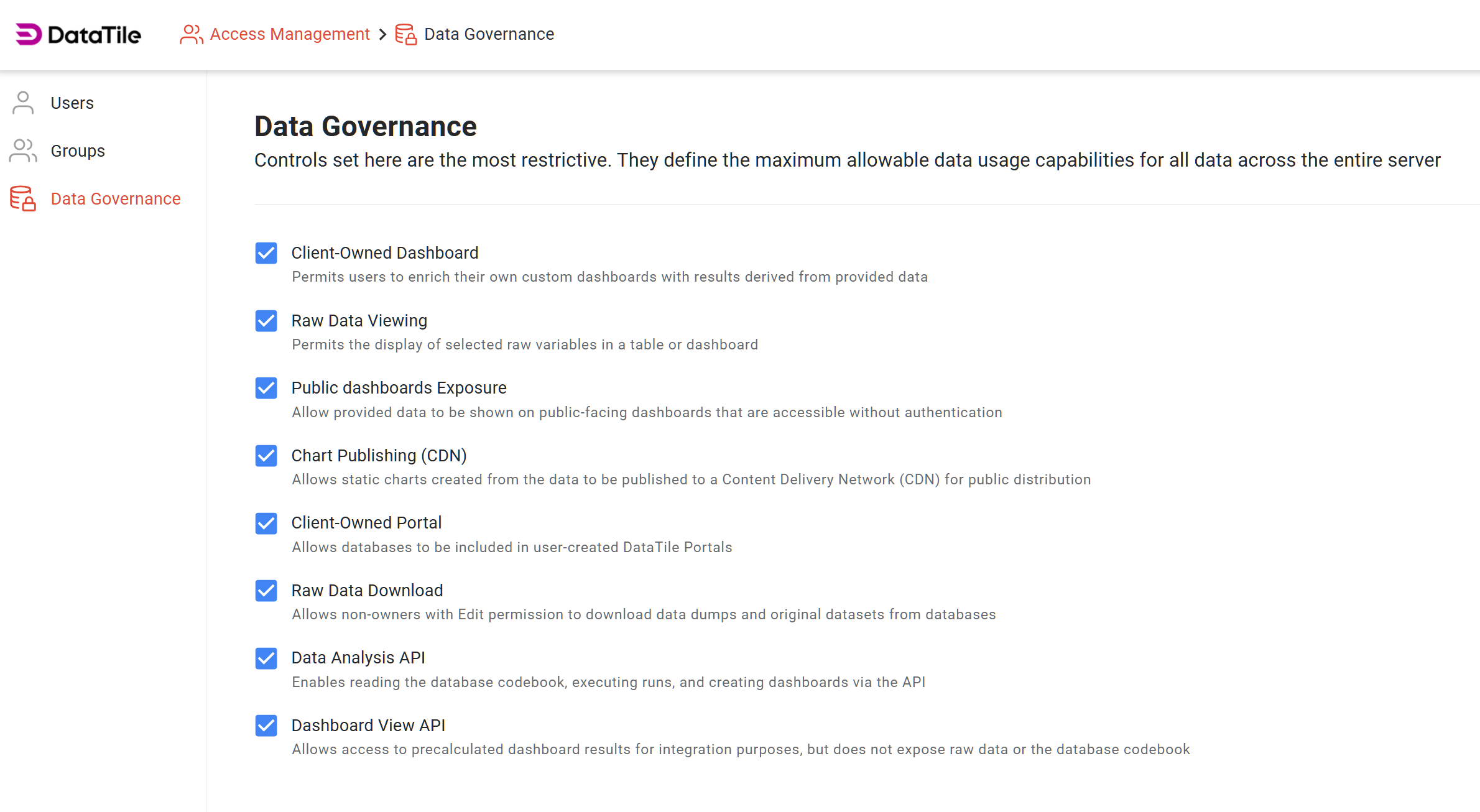
Here you can enable/disable
By default, all permissions are enabled on every server.
-
Client-Owned Dashboard
Permits users to enrich their own custom dashboards using results derived from provided data. -
Raw Data Viewing
Allows display of selected raw variables in a table or dashboard. -
Public Dashboards Exposure
Allows data to be shown on public-facing dashboards accessible via the public link. -
Chart Publishing (CDN)
Allows static charts created from data to be published to a Content Delivery Network (CDN) for public distribution. -
Client-Owned Portal
Allows databases to be included in user-created DataTile Portals. -
Raw Data Download
Allows non-owners with Edit permission to download data dumps and original datasets from databases. -
Data Analysis API
Enables reading the database codebook, executing runs, and creating dashboards via the API. -
Dashboard View API
Grants access to pre-calculated dashboard results for integration purposes; does not expose raw data or the codebook.
When disabled, the feature is blocked across the entire server.