December releases bring several improvements focused on stronger data governance, more flexible control behavior, and better collaboration across projects.
Server-Wide Data Governance
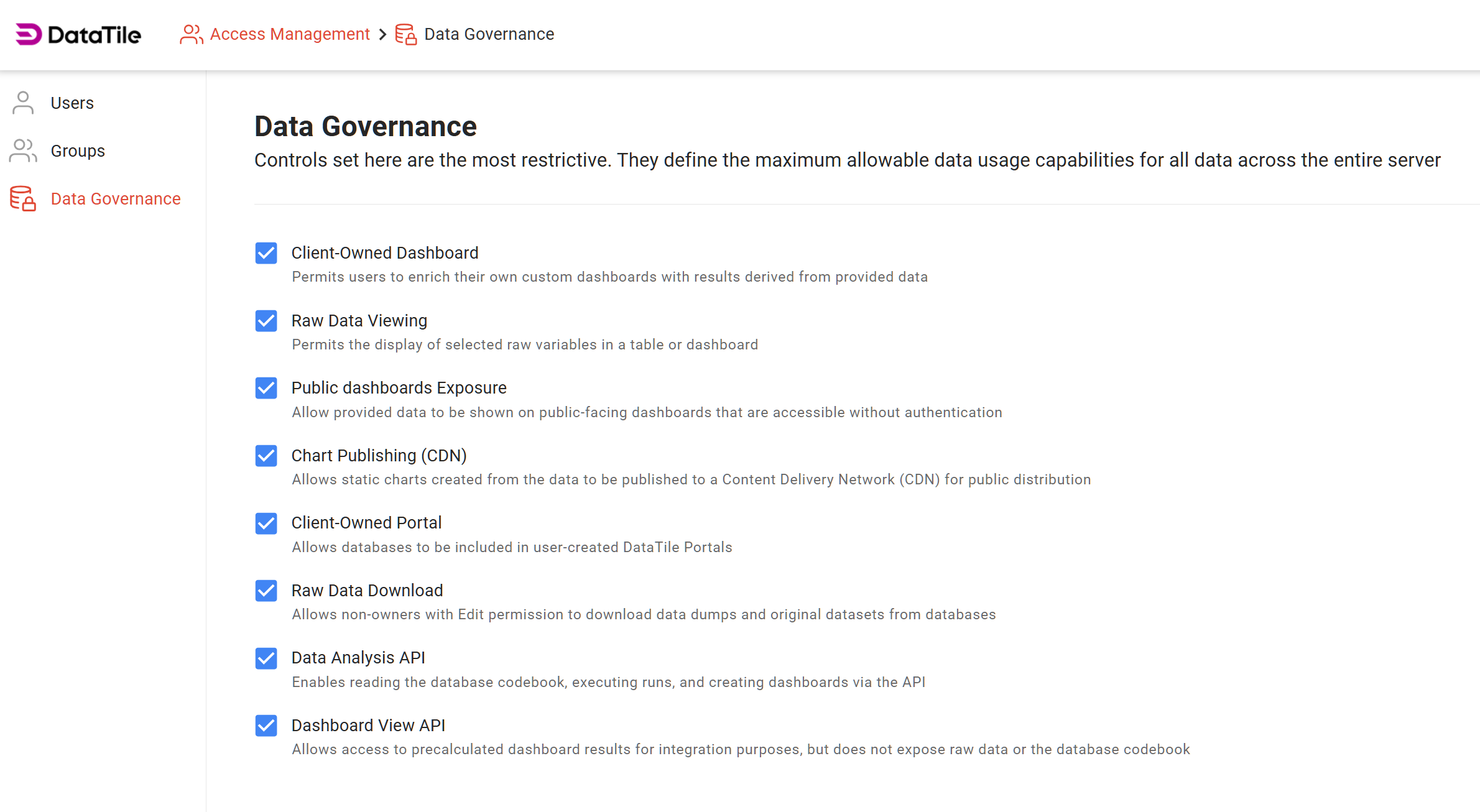
Data Governance introduces server-wide limits that define the maximum level of data access and feature availability across your entire DataTile server. These limits cannot be exceeded by project-level permissions.
Use Data Governance to enforce compliance, reduce the risk of unintended data exposure, and standardize feature usage. Access to this section is restricted to server Supervisors and is available under Access Management → Data Governance.
Improved declaration of categorical variables in the codebook
Previously, if a numeric-valued variable was declared as categorical in the codebook but had no categories defined (no corresponding dictionary on the Values tab), the system interpreted it as a numerical variable.
This behavior has been improved. Now, such variables can be correctly treated as categorical, and their categories are automatically generated from the data during the loading process.
Shared features editing
Previously, Shared features could be edited only by their owner. Even when shared, they could be used as they are. Now, you can optionally allow collaborators to edit Shared features as well.
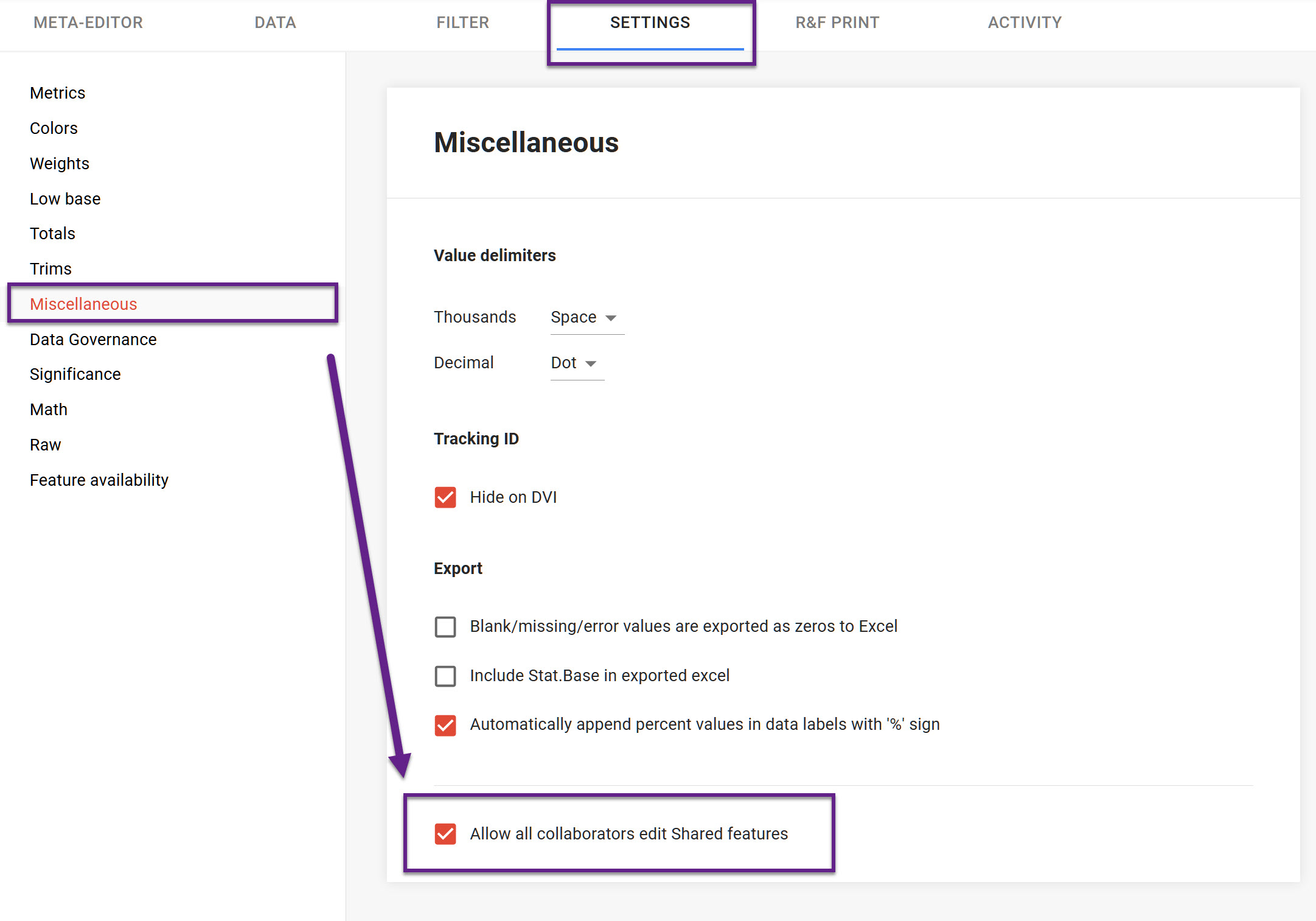
To enable the option, go to the Settings → Miscellaneous → tick the ‘Allow all collaborators edit shared features' checkbox.
Important: any changes made by a collaborator will affect the data for everyone using the Shared features.
New Selection Strategy: Top-N
A Top-N option has been added to the Selection strategy settings in the Control Editor. This strategy automatically preselects a specified number of the most frequent options when a dashboard is in VIEW mode.
The “top” options are determined entirely by the dataset and cannot be set manually. Top-N is especially useful when you want dashboards to open with the most relevant or commonly selected categories already in focus.
New Control-to-Control interaction scenarios
Source and Select control combination
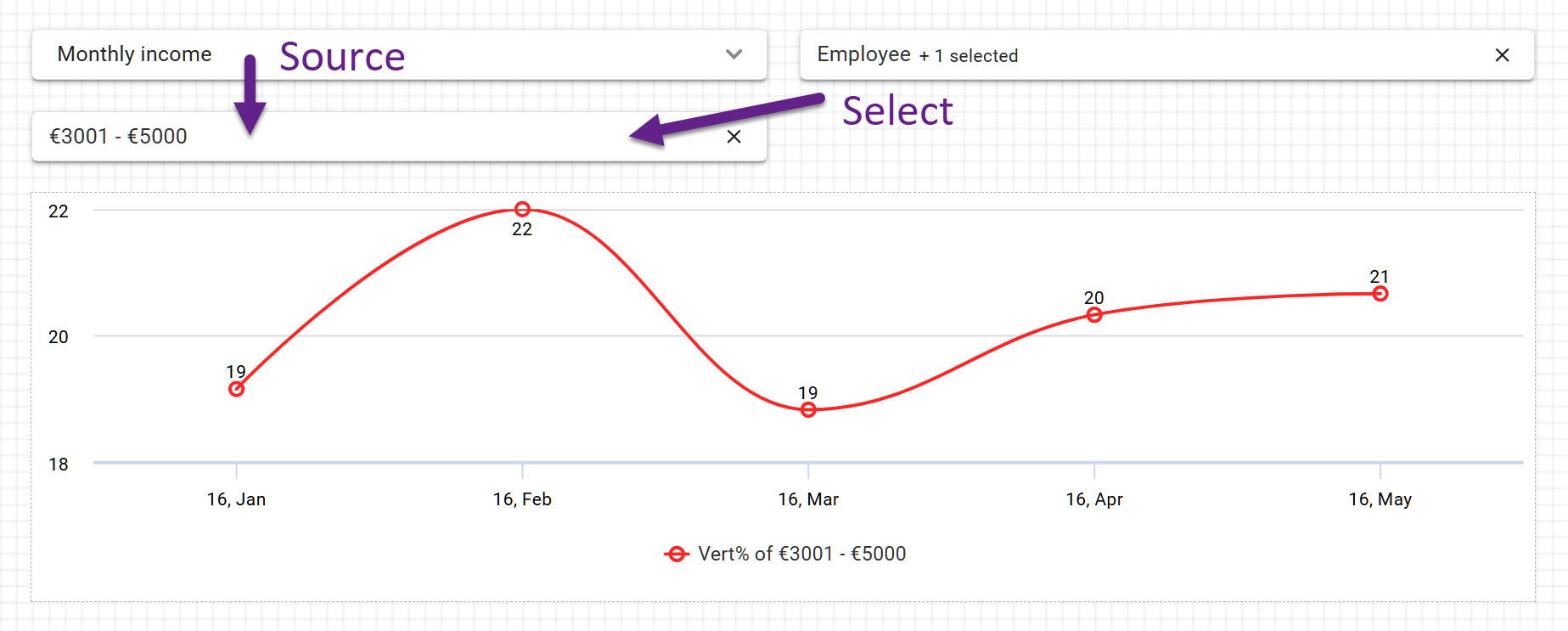
You can assign multiple master controls to a single dependent control as follows: one master control can be set as ‘Source’ to define the dependent control’s content, while another can be set as ‘Select’ to determine its default selection strategy.
Source for range controls
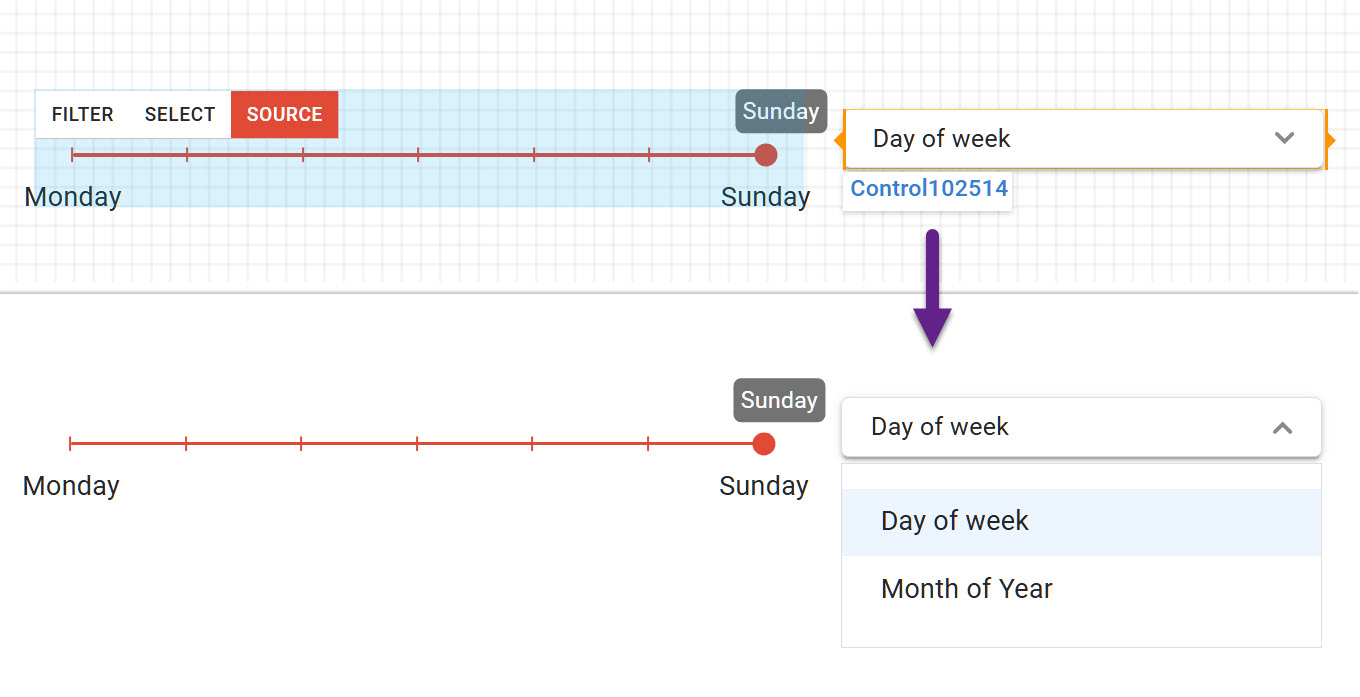
A second new interaction scenario allows you to assign a control as ‘Source’ to a Range control. This is useful when you need to dynamically change the scale of a range control, for example, switching between days, months, or quarters.
With this setup, a single control assigned as Source determines which scale is displayed on the range control, enabling flexible and centralized control over how ranges are selected.