
Under certain conditions, you can create an array of MR-sets from a single set of variables in Meta-Editor.
To enable this, your dataset must include a specific set of variables that encode responses to two (or more) parameters. You must also follow the coding rules for such variables.
Example dataset
You have variables that capture responses to specific statements for each brand. For instance:
-
Statement 1 for Brand 1
-
Statement 2 for Brand 1
-
Statement 1 for Brand 2, and so on.
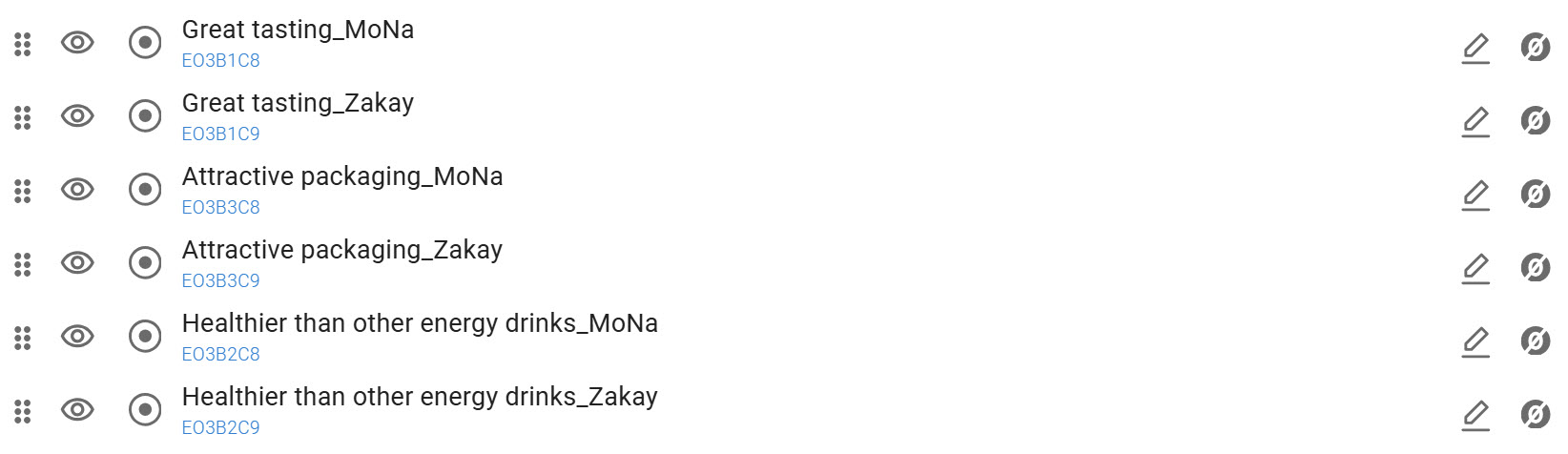
Variable coding pattern
Variable codes must follow a consistent pattern so the system can detect parameters.
For example:
E03B*Cy*, where:
-
E03— common prefix for the group of variables, -
B*— the statement index, -
C*— the brand index.
Uniform coding rules: there must be no stray variables; all included items must follow the same pattern.
In our example, each variable’s code follows a consistent naming pattern: E03B1C1, E03B1C2, E03B2C1, E03B2C2, … where B varies across statements and C across brands.
With such dual-parameter patterns (B* and C*), the system can automatically detect parameters and generate an array of MR-sets from the single variable family.
Naming: the variable names in the generated MR-sets are created automatically based on the detected pattern in the original variable labels. To ensure clean, readable results, we recommend giving source variables well-structured labels that reflect their content and follow a consistent pattern.
How to trigger the array creation
-
In Meta-editor, select all variables that should be included.
-
Click on the ‘Create MR-set’ icon.
-
Select the Dichotomous type of MR-set.
-
Choose any option from the list to initiate creation.
-
Tick the ‘Create arrays of multi-response sets’ checkbox.
-
Click the ‘Create’ button.
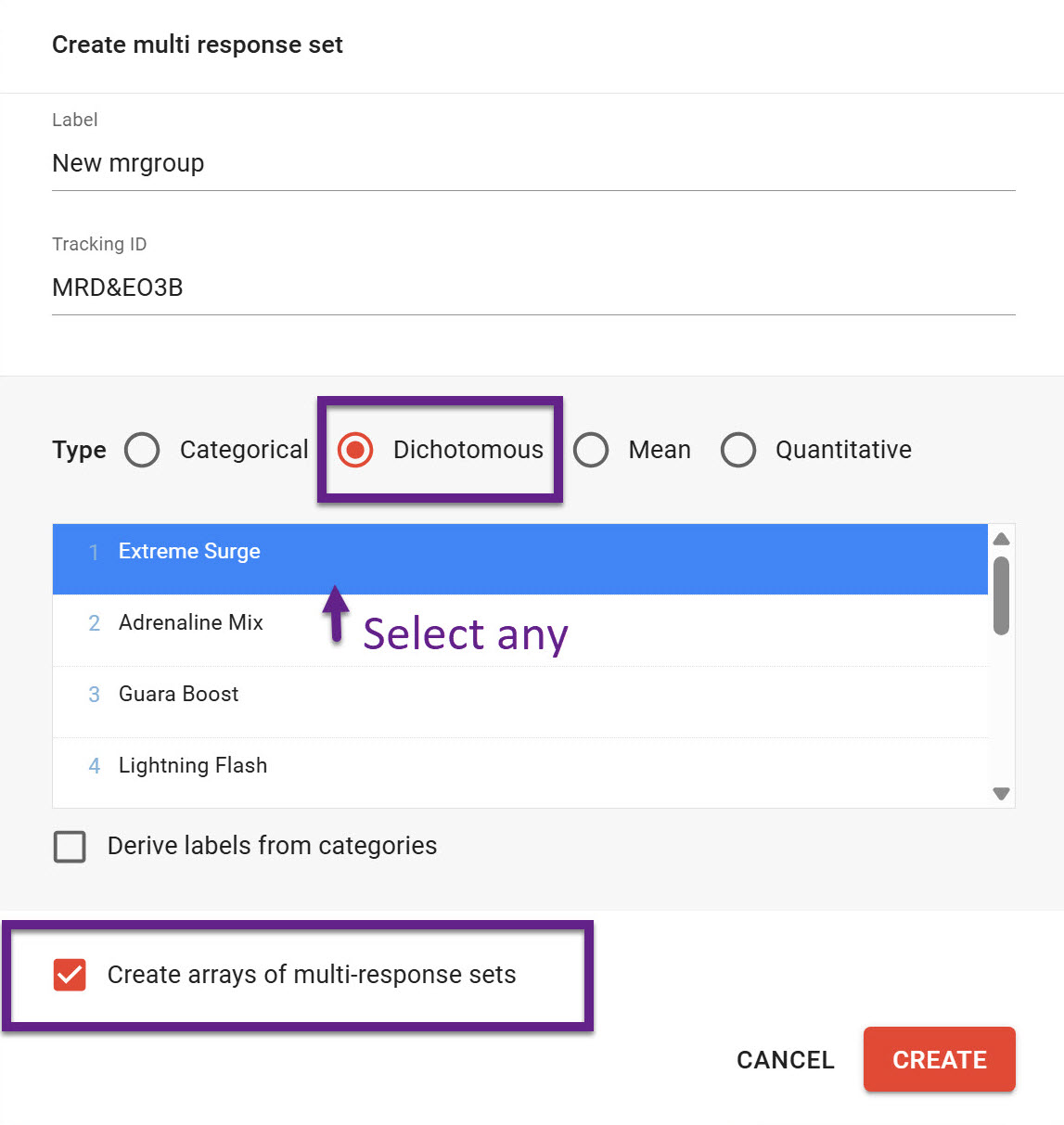
The new arrays are created automatically and placed in a separate folder to make it easy to find and manage.
Watch the short screencast to see the original variable set and the MR-sets that were automatically assembled into arrays.