
In January, we’re introducing several new features and improvements, including enhancements for operating with variables in Meta-Editor, a lighter DVI design, and more.
-
Icons for different MR-set subtypes;
-
Updates to improve the efficiency of working with OR-categories;
-
Tab icons and first choice of table type on DVI;
-
Exponentiation in MATH: Power function;
-
VAL SUM and VAL AVG operations in LEB;
-
Decks for Reach & Frequency requests.
Icons for different MR-set types
We have added unique icons for each type to enhance clarity in differentiating MR-sets. In the variables tree, this makes it easier to identify and locate MR-sets quickly.
Here's how the icons are represented in the variable tree:
-

-

-

-

-

Updates to improve the efficiency of working with OR-categories
OR-categories are the ones we get after using the OR-join function for multiple variable options.
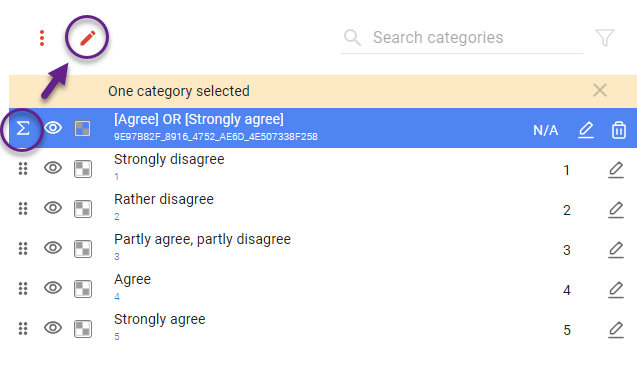
Several improvements have been introduced when editing this type of category, enhancing usability and efficiency.
-
Tracking IDs have been added, mirroring the IDs assigned to the options for better reference and consistency
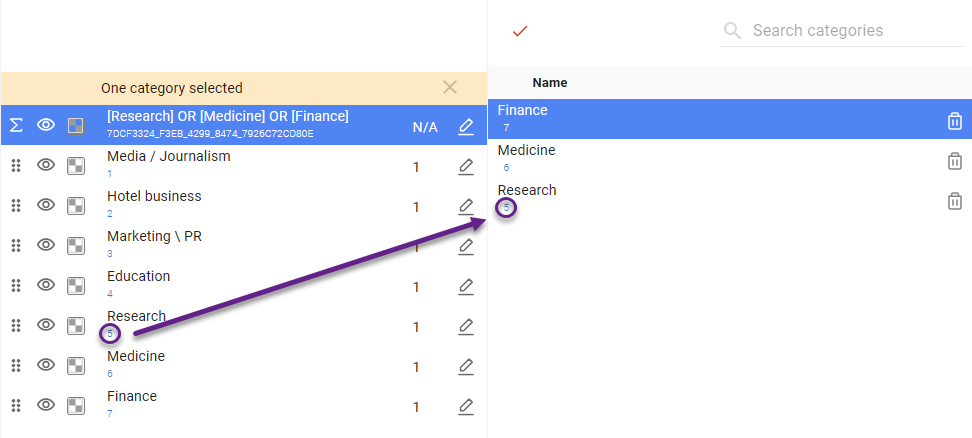
-
A search bar is now available for searching within these categories, including the ability to search by tracking ID
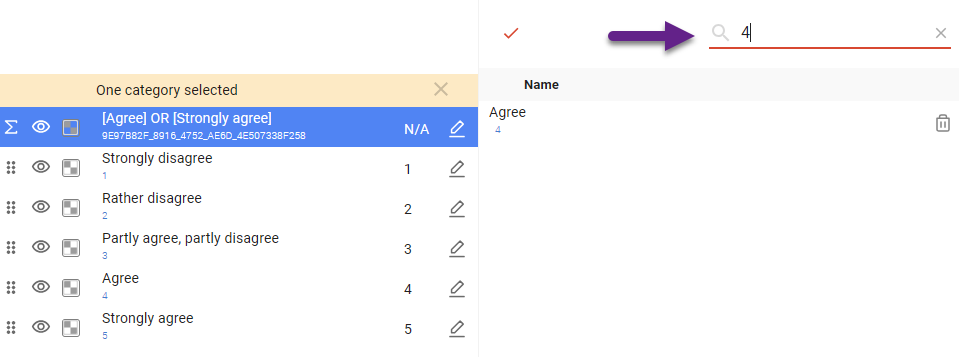
-
You can now select and delete multiple options at once using the ‘Delete’ icon at the top
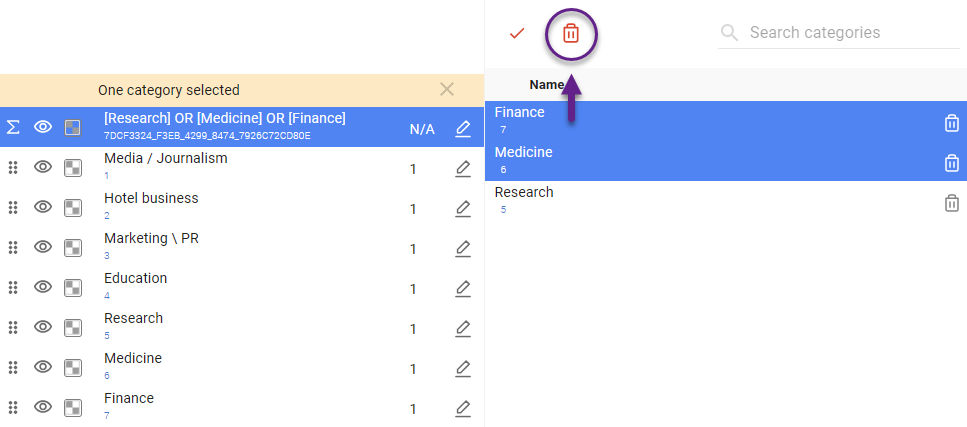
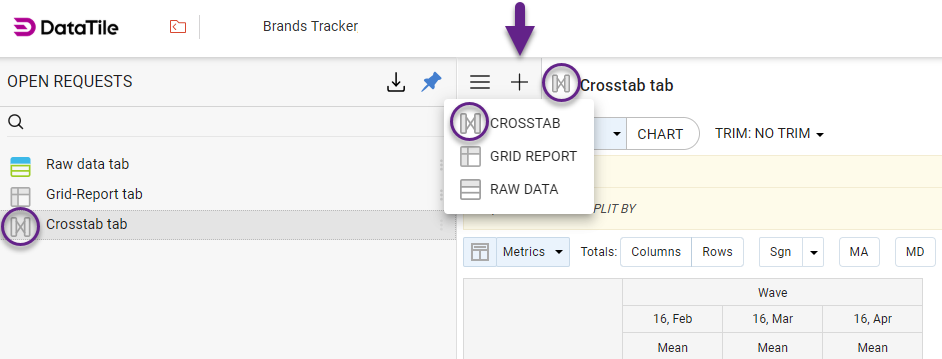
Tab icons and first choice of table type on DVI
When adding a new tab, you must first select the table type. Each option has a distinct icon, which will appear in the tab header and the list of tabs for easy identification
Exponentiation in MATH: Power function
In crosstab math, the function for exponentiation has now been added.
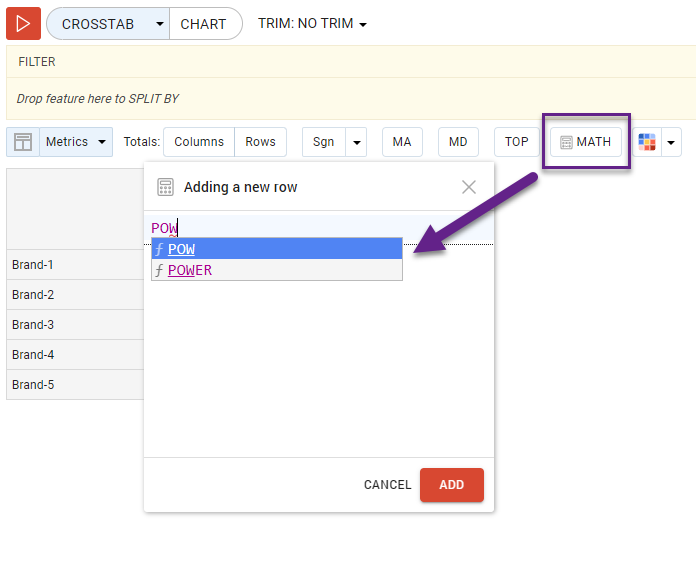
Three ways to write an expression in a string for MATH, given that 4 here is the extent to which we are ascending to:
-
POWER (expression, 4);
-
POW (expression, 4);
-
expression^4.
VAL SUM and VAL AVG operations in LEB
Two new operations are now available in LEB (Logical Expression Builder):
-
VAL SUM: Retrieves respondents whose sum for the selected parameters equals a specified value.
-
VAL AVG: Retrieves respondents whose average value for the selected parameters equals a specified value.
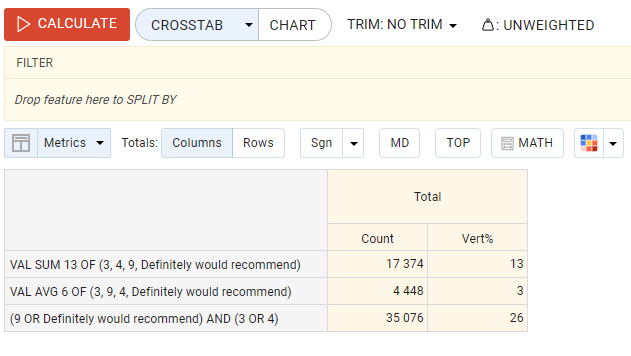
These additions enhance data filtering and analysis flexibility. Read more.
R&F requests can be saved to decks
Now, our users can share media plans seamlessly, saving reach & frequency queries directly in decks for easier access and collaboration.