
While we're putting the finishing touches on several major upcoming releases, we've continued shipping smaller improvements along the way. This digest rounds up the latest updates that are already available and ready to make your day-to-day work a little easier.
-
Bulk ungrupping in Meta-Editor
-
NPS improvements
-
Rotated metrics enhancements
-
Label trimming in updated MR-sets
Ungroupping variables
A small but useful Meta-Editor enhancement: variables can now be ungrouped in bulk. A dedicated ‘Ungroup all’ button has been added to the group editing panel, making it easy to dissolve an entire group in a single click.
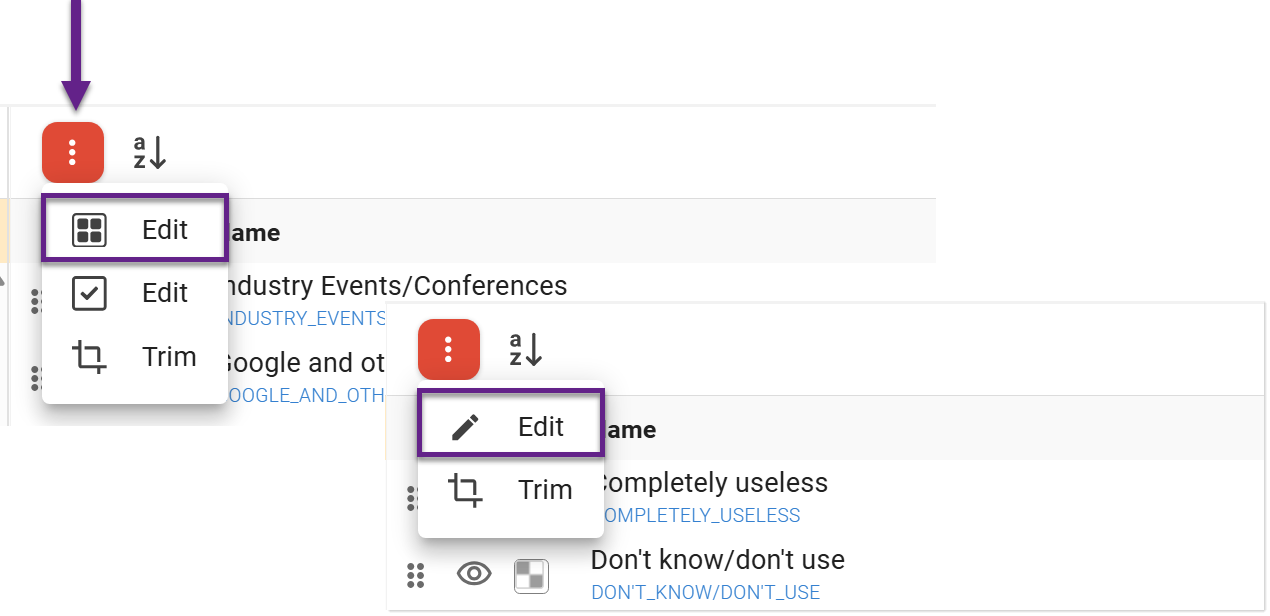
To do this, select any variable in the group and open the submenu in the category panel. Depending on the variable type, you will see either the MR-set menu or the standard actions menu. Select Edit, the first option in the menu, to manage the group.
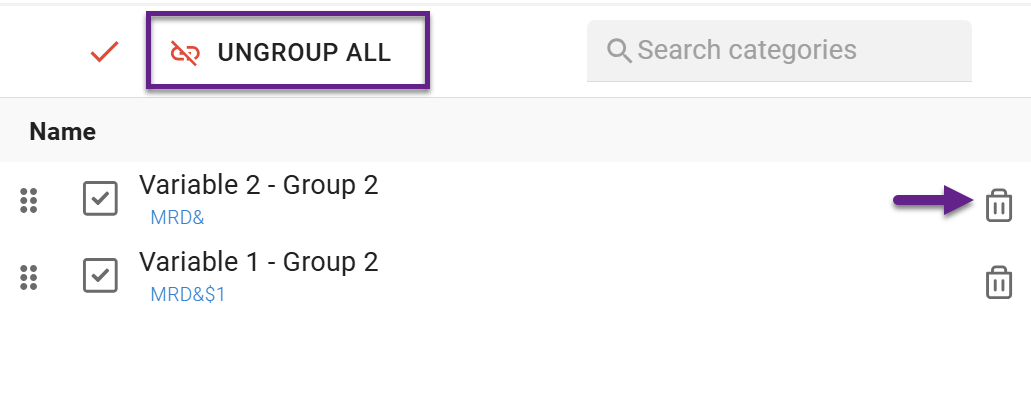
To ungroup all variables at once, click Ungroup All at the top of the panel. To remove a single variable from the group, click the Delete ('Trash') icon next to that variable.
NPS base alignment with excluded categories
NPS calculation base now updates automatically when categories are excluded. If a category (for example, those who answer ‘Don’t know’) is excluded from the NPS calculation, it is now also excluded from the calculation base, ensuring correct NPS results.
If you want to keep calculating NPS based on the full respondent base, use an alternative NPS calculation method instead.
NPS & Rotated metrics
NPS calculations have been corrected for rotated bases. When using rotated-base metrics (e.g., Cases), NPS values are now calculated per respondent–category combination, returning correct results instead of SYSMIS.
Significance for Rotated metrics
Another major enhancement has been introduced for rotated-base metrics. Statistical significance calculations are now available for rotated metrics, just as they are for standard metrics.
Consistent label trimming for automatically updated MR-sets
When an MR-set is created, DataTile automatically trims variable labels down to their variable-specific part. This results in cleaner and more consistent naming. You can also configure the MR-set so that any matching categories imported in future data uploads are automatically added to it.
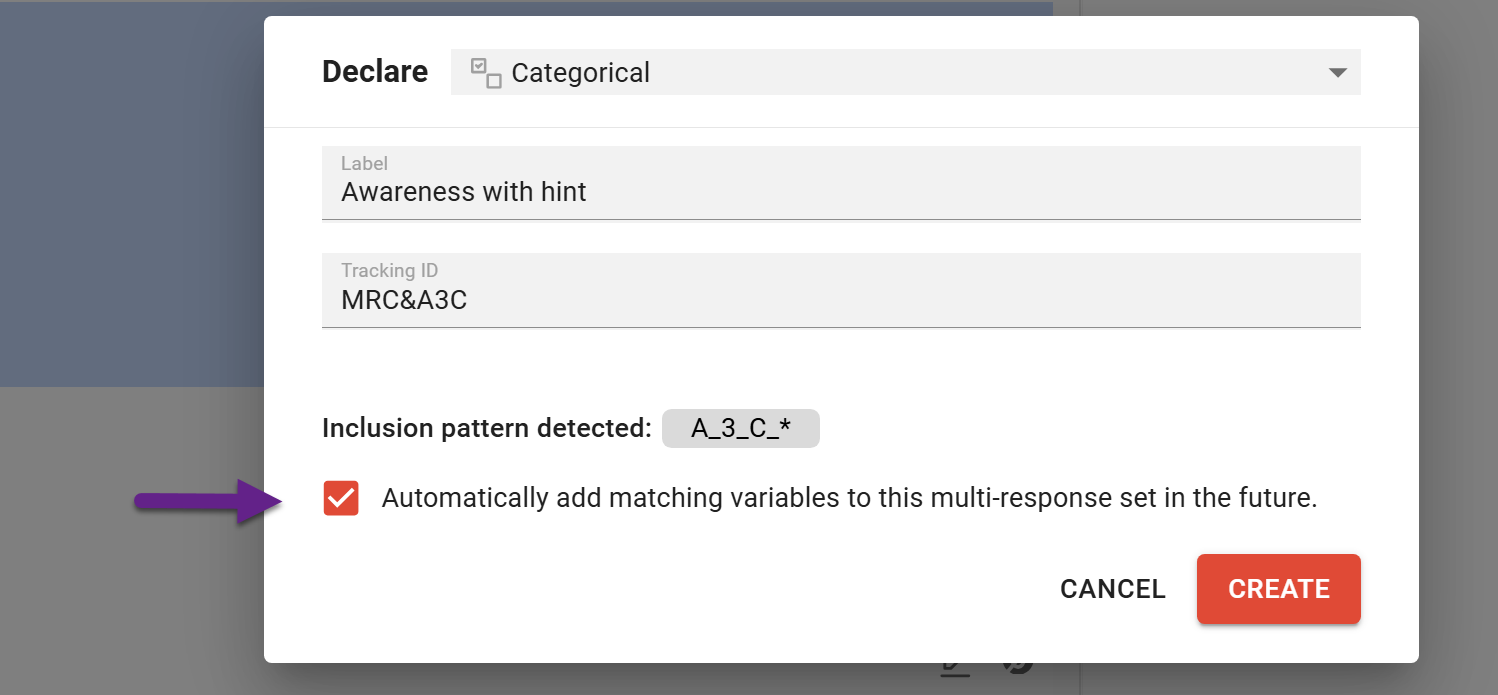
Now, when new variables are automatically added to an existing MR-set during data uploads, their labels are trimmed and normalized using the same rules that were applied when the MR-set was created.