This month’s update focuses on improving workflow efficiency and data consistency across DataTile. Key highlights include the ability to copy logical variables across datasets, enhanced Grid Report behavior for handling expressions, expanded codebook capabilities, and some more improvements.
Copying logical variables between datasets
DataTile allows you to copy logical variables created via the Meta-Editor to another database. This feature enables fast, bulk recreation of logical variables in a new dataset. Copying is performed at the folder level, not at the level of individual variables.
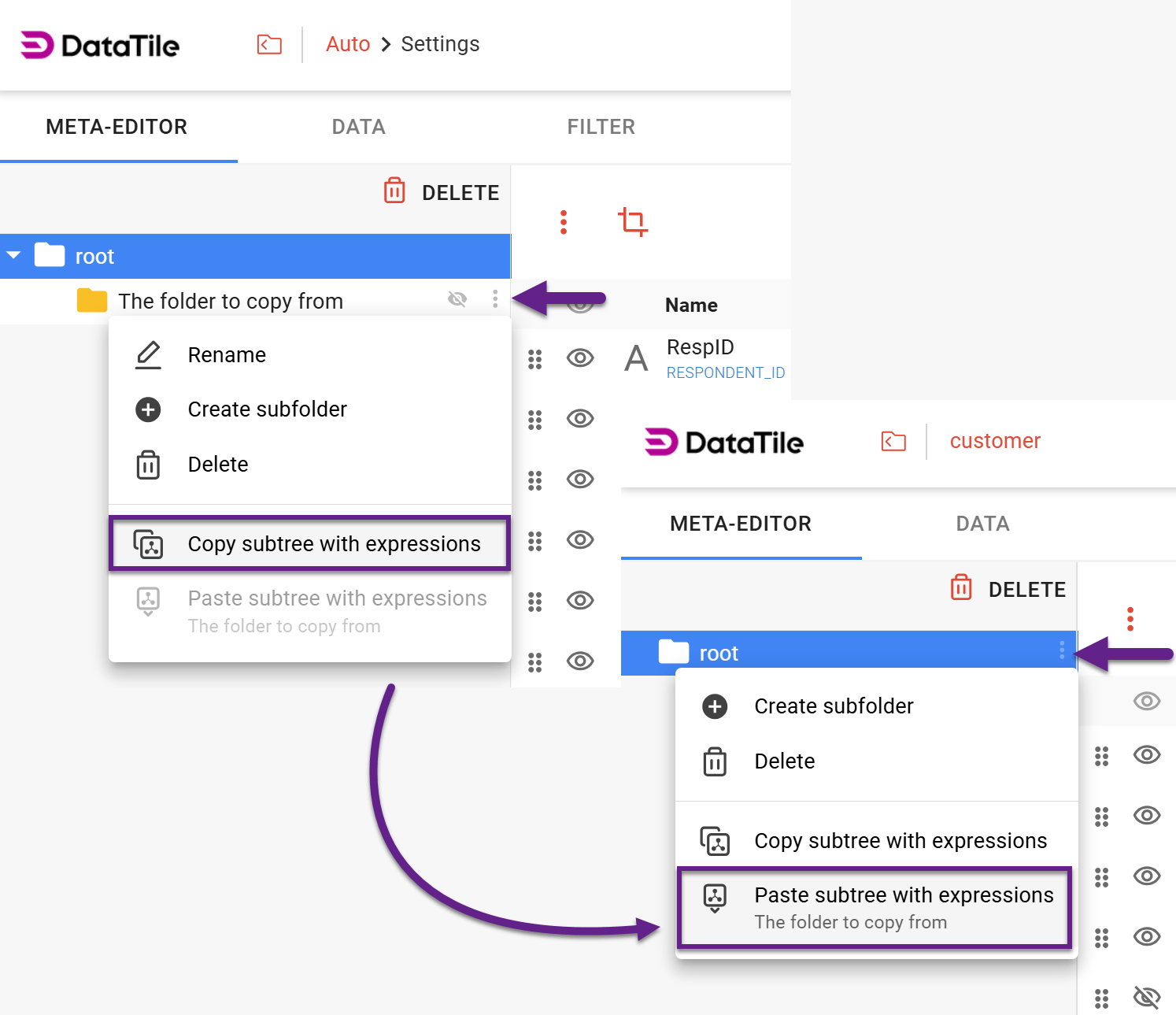
Effective copying of logical variables requires that variable codes match across both datasets.
Folders submenu
With the previous feature release, the folder menu has been updated. At the top level, only the delete option is now available. Other actions, such as creating a subfolder or editing, have been moved to a dropdown menu accessible via the ‘snowman’ icon next to the folder.
Grid Report setting: Resolve expression labels within all grid variables first
A Grid Report is used to compare a family of related variables in one aligned table. Variables are compared side by side, while features are aligned across them by label. Logical expressions can be applied to both sides of the report: on the variable side and on the feature side.
In the last case, they define logical rows and must be resolved carefully against the Grid Report variables, because different variables may contain different subsets of categories. If it happens, some of the options may be missing for certain variables. Often, these should be treated as absent, as if the option existed virtually for that variable. This allows the grid to be fully constructed even when some options are not actually present.
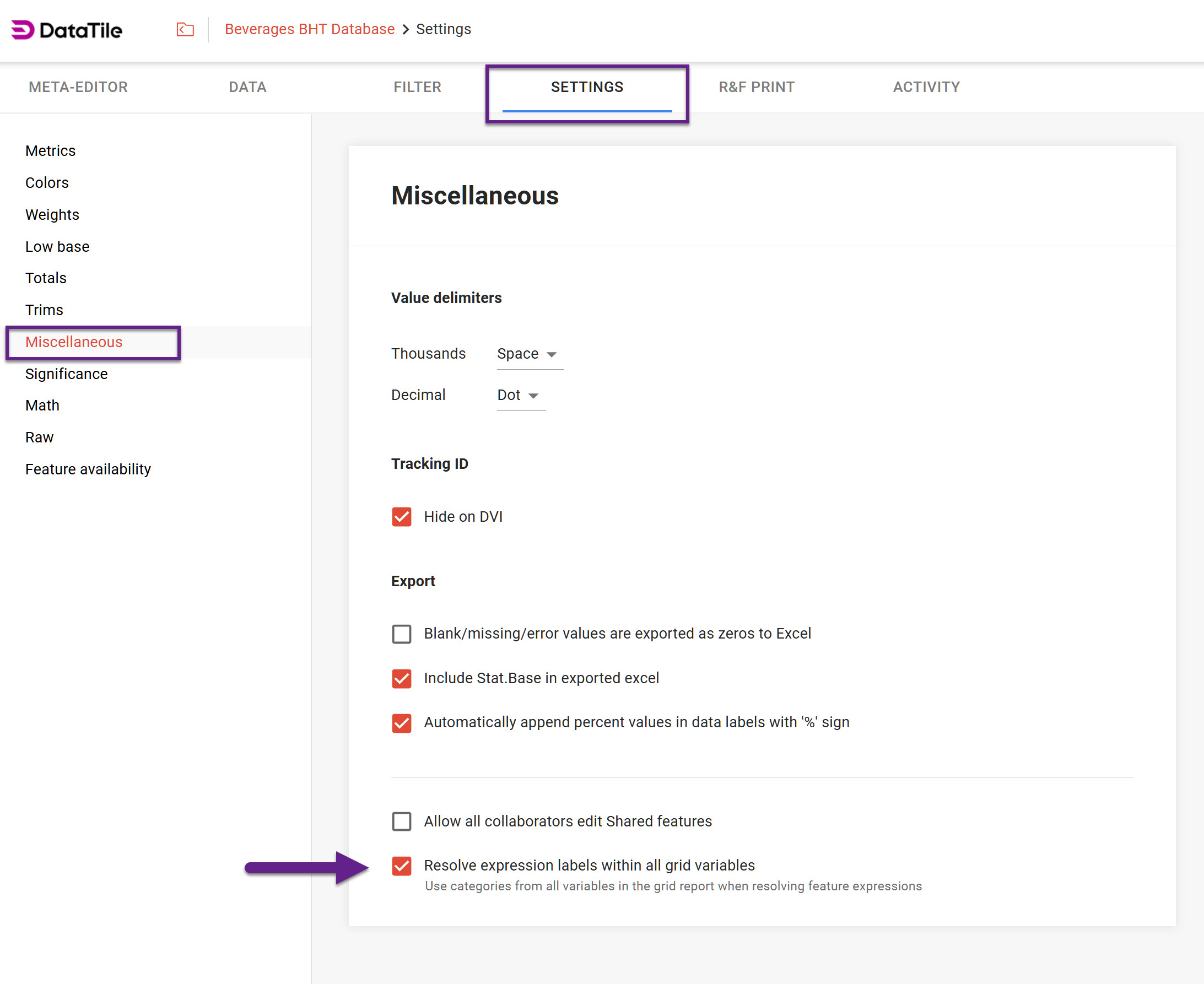
This behavior can be achieved by enabling the new database setting Resolve expression labels within all grid variables that controls how DataTile resolves labels inside feature expressions.
The path is Settings → Miscellaneous → The checkbox ‘Resolve expression labels within all grid variables’ at the bottom of this page.
This checkbox is enabled by default in all databases.
For more details and examples, see our dedicated article on Grid Reports.
Codebook updates
-
Adding/editing midpoints via codebook
You can now define and edit midpoints via the codebook. To do so, download the codebook, update the midpoint values, and upload it back.
Also, midpoint values can now also be set as fractional numbers. -
Folder sheet changes
The first column in the FOLDERS section has been renamed from FOLDER to NAME for better clarity and consistency. At the same time, FOLDER (as well as DIR/DIRS) remains a valid synonym, ensuring backward compatibility.
Deletion notifications
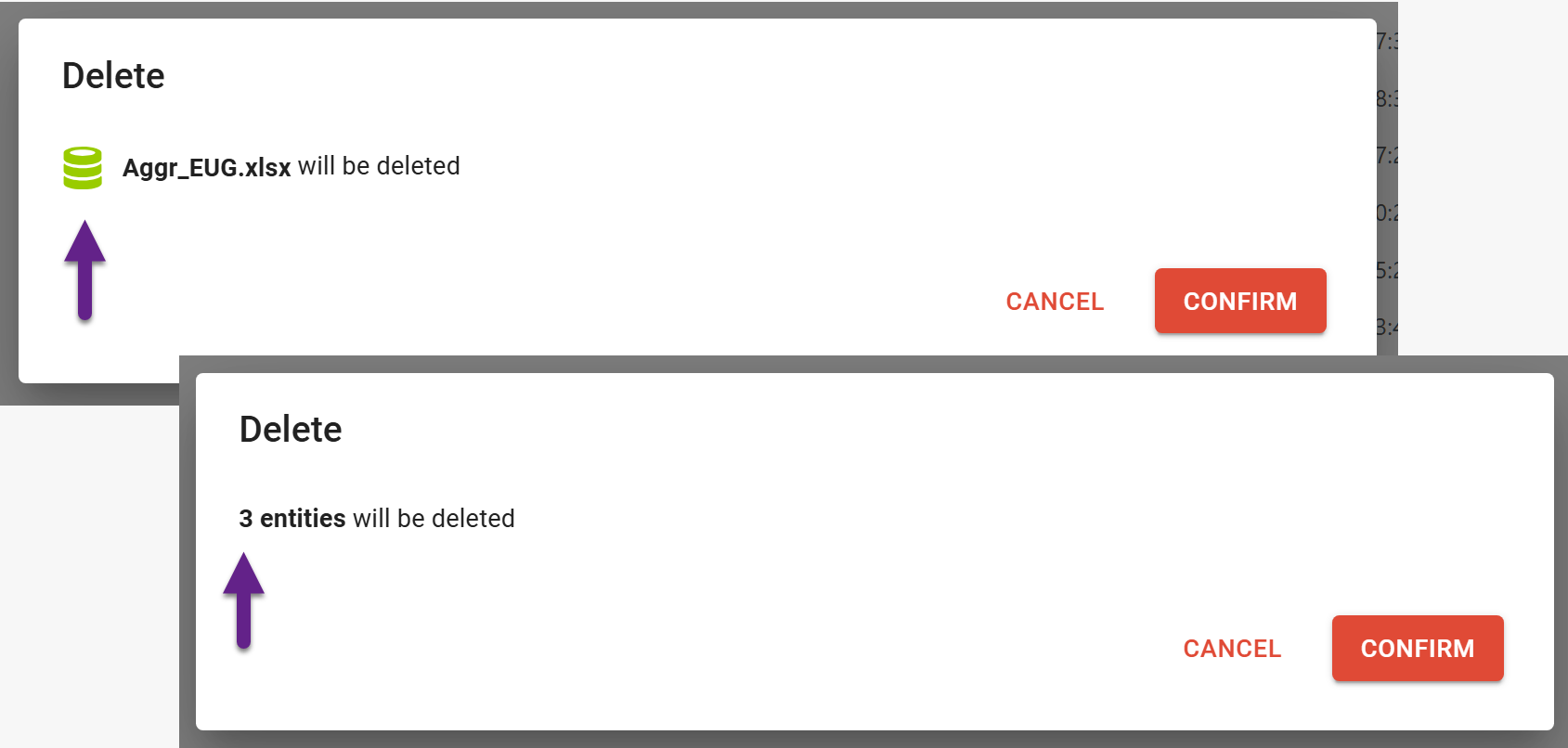
In the DataTile Drive, the deletion confirmation dialog now displays the item's name and icon, allowing you to verify it before proceeding.
When deleting multiple items, the dialog shows the number of selected entities.