
The March release introduces several important updates across the platform, focused on improving data processing, flexibility, and usability.
-
The key highlight is AI-assisted sentiment analysis - a major new feature that enables fast and accurate analysis of open-ended responses at scale.
-
Multiple weights management gives you more control over which weights are used in different Data Views.
-
The DATA panel has been improved for a smoother and more transparent workflow.
-
Support for NPS variables has been expanded to include the ability to declare them in the codebook and additional calculation capabilities.
AI-assisted sentiment analysis
AI-assisted sentiment analysis is a process of automatically detecting sentiment (positive, negative, or neutral) and structuring the results, making it easier to identify trends, measure satisfaction, and uncover key issues.
The AI model quickly analyzes large volumes of text with high accuracy, grouping them into categories. The result of the analysis is a separate variable with sentiment categories, which can be used in calculations and filters.
Required role: Sentiment Analysis.
To use this feature, the AI connection must be configured on the server.
Multiple weights management
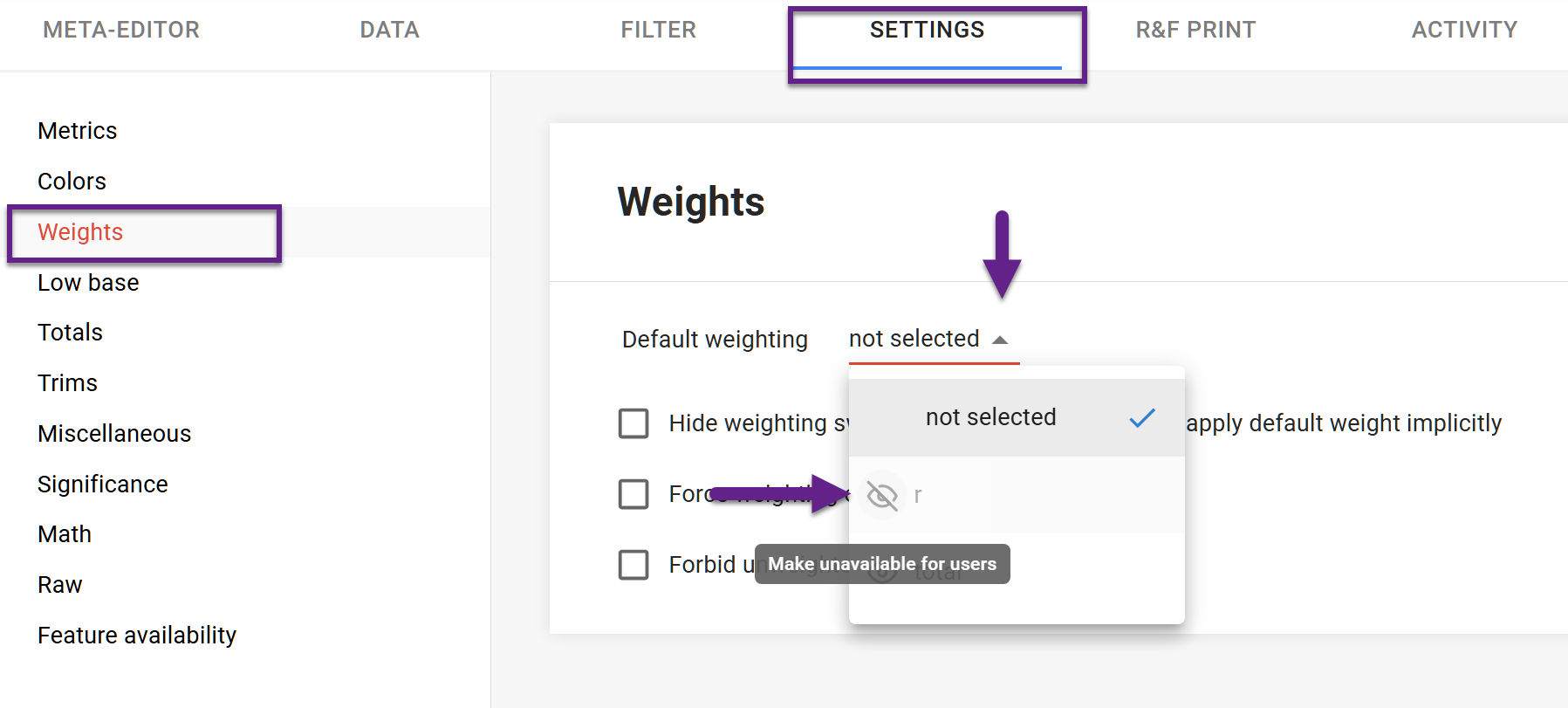
A dataset may contain multiple weights, but only some of them are relevant for the target audiences. For example, a regional Data View may require only a subset of all available weights. Now, you can disable irrelevant weights at the dataset or Data View level without changing the variable type.
Go to the Project settings → Weights. Open the dropdown list with all weights in the dataset and click the ‘eye’ icon to manage their visibility. Disabled weights cannot be selected for calculations or set as the default weight.
DATA panel improvements
-
Extended label field
The label field has been expanded, allowing longer titles to be visible. -
Copying label name
You can now copy a label name using a dedicated icon next to it.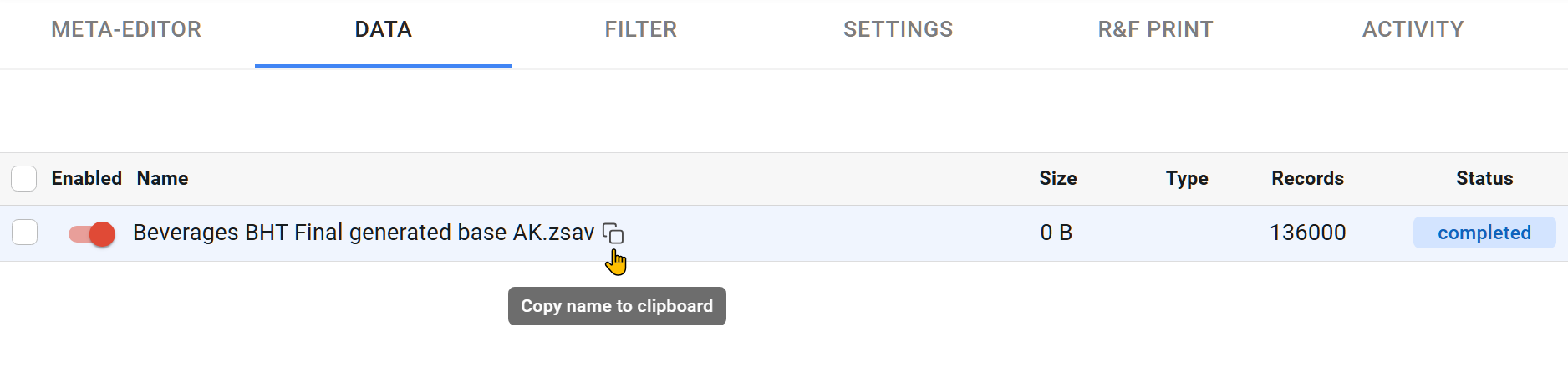
-
Visible label list on delete
When deleting, the full list of labels is now visible, clearly demonstrating what will be removed. -
Upload status indication
The file upload pop-up now includes color indicators:-
green - upload successful
-
red - error detected.
-
-
Re-upload restriction
You cannot upload a new file until the previous one is removed from the upload window.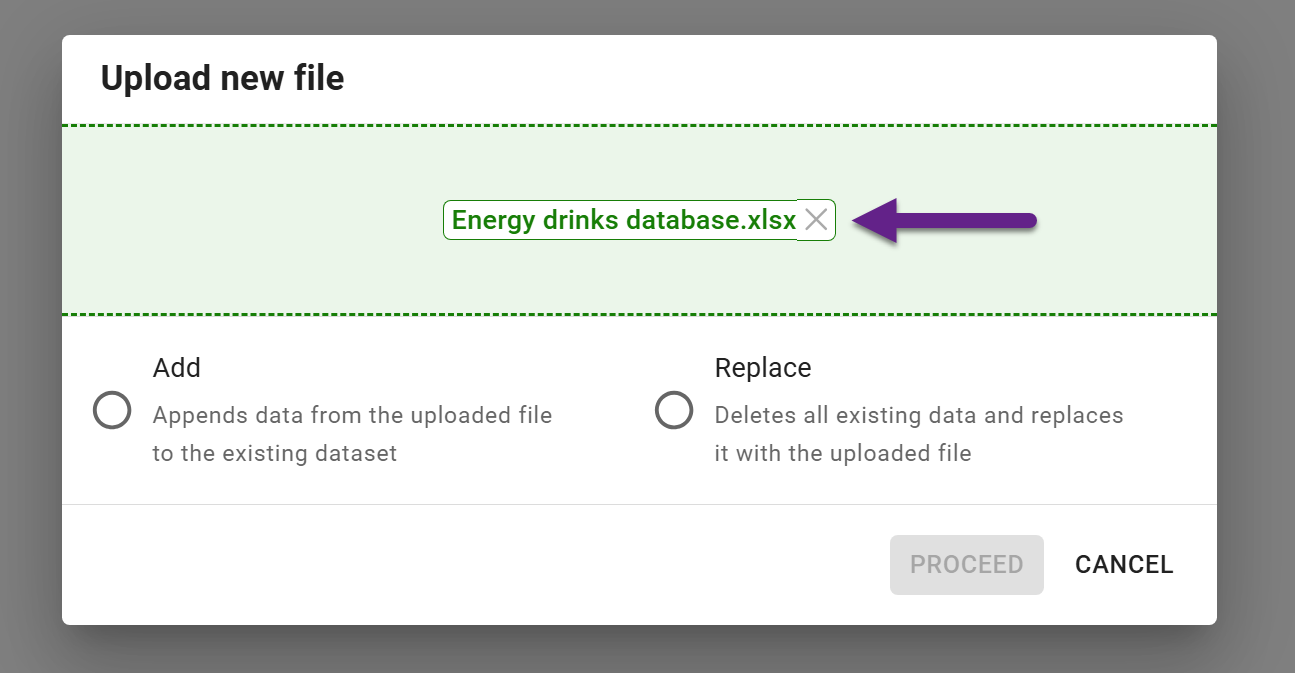
Expanded functionality for the NPS variable
-
An NPS variable created in DataTile can be defined in the codebook now. To support this, a new variable type - NPS - has been added to the codebook. It is declared on the Variables tab, and on the Values tab, you can specify the source variable and category codes for the calculation.
-
A weighted average calculation is now available for the NPS variable.