
Well-structured datasets usually follow consistent variable naming conventions. In such cases, these patterns can be used in the codebook to avoid overloading the dictionary and repeating the same declarations. A single-line pattern can declare a group of cognate variables, typically representing a multi-response, matrix question, or a block of standard questions.
1-tier Pattern
For example, the pattern below declares categorical variables for the brand dictionary. A single line replaces individual declarations for each brand in the list. This way, the brand list is declared only once on the Values sheet. You can then use the {brand} pattern to declare all variables that share the same set of options. This saves significant effort when your survey includes hundreds of brands.
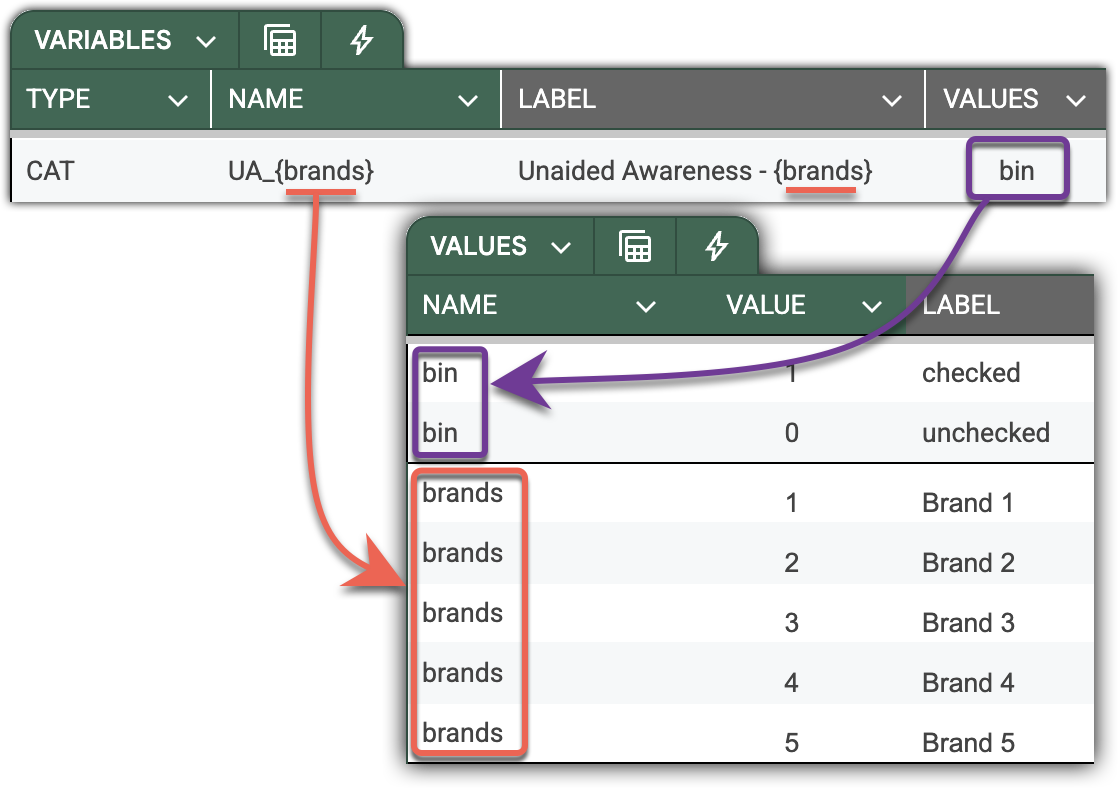
When DataTile encounters a dictionary inside a pattern, it iterates over the dictionary's value labels. It uses value codes as variable names and injects value labels, midpoints, and other parameters from the dictionary when unboxing the pattern.
-
NAME=UA_{brands}is unboxed asUA_1, UA_2, UA_3, UA_4, UA_5 -
LABEL={brands} - Unaided awareness…will be unboxed as the list of corresponding labels.
2-tier Pattern – Matrix Question
Here’s an example of a matrix question. We are asking respondents about the packaging of the soft drinks they consume.
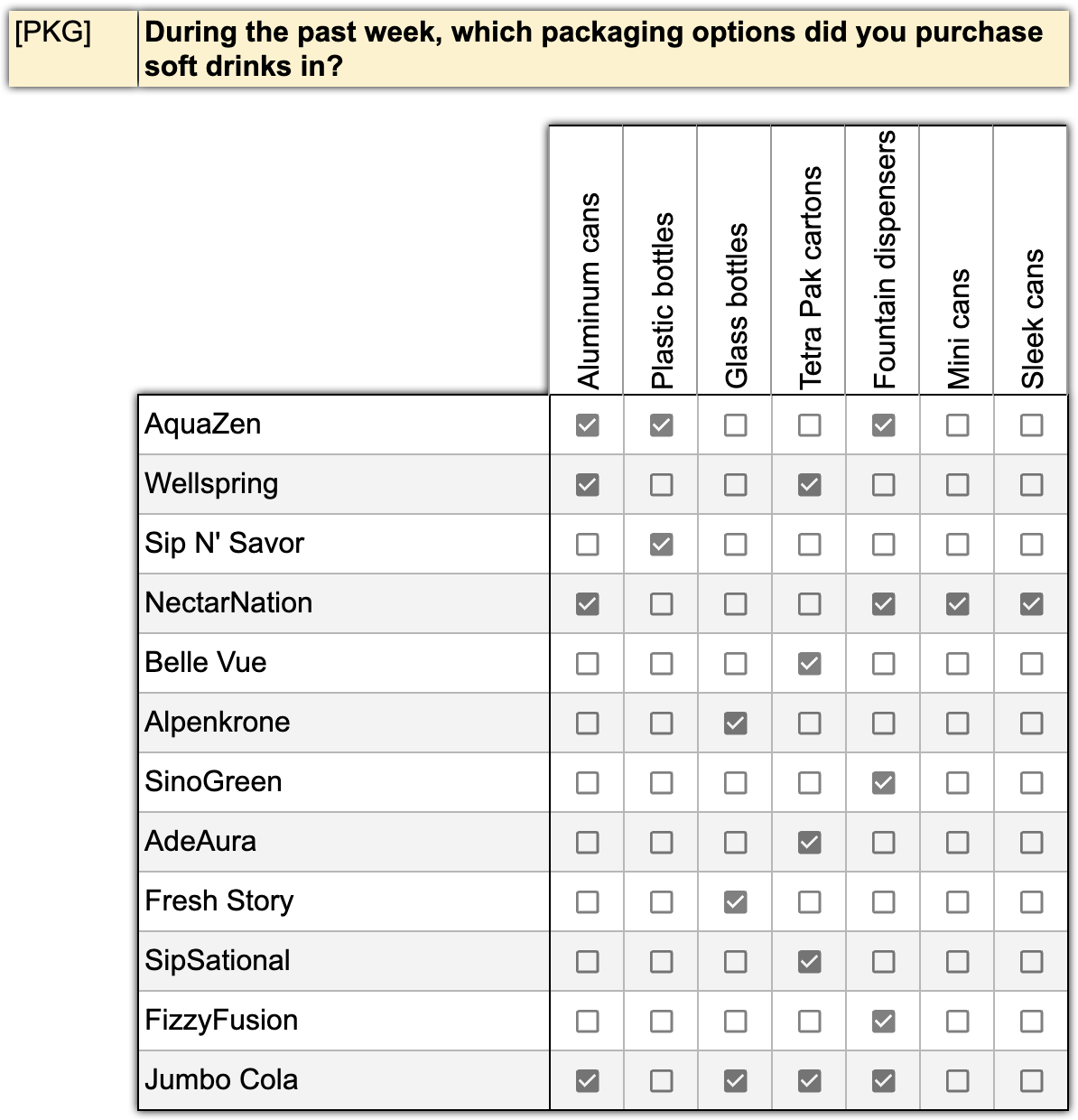
As before, all these variables can be declared with just a single line, assuming they follow a consistent naming pattern.
For example, having 100 brands and 7 package types, the pattern would define 700 variables in one line!
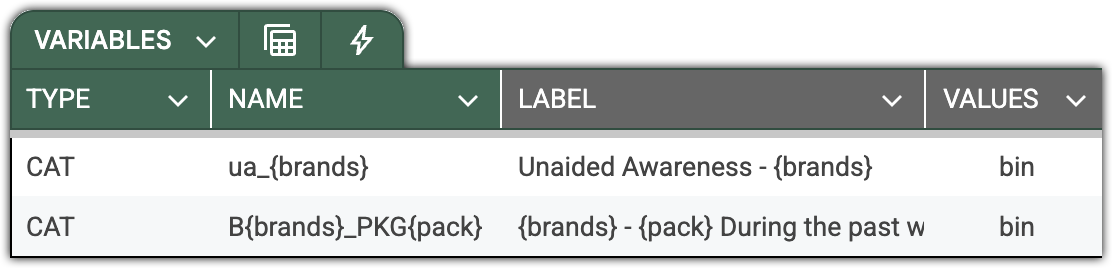
DataTile allows patterns up to 3 tiers – for example, when testing statements in relation to a set of typical products and a set of companies.
The efficiency of this declaration grows exponentially with the size of the dictionaries. As an example, for 100 brands, 10 products, and 20 attitude questions, you will effectively declare 100x10x20 = 20,000 variables with a single line!